Hardware Review: The HackRF Portapack H

Cheap hardware is (mostly) amazing. The TinySA gives us access to spectrum monitoring for less than $200 delivered, and the Nano-VNA gives us capable test equipment that’s ridiculously cheap in comparison to its capabilities.
One question that’s often asked is “What SDR unit is great for beginners?”
If you’re conscious of price and don’t need transmit capabilities, you might choose the ever-available rtl-sdr,
However, if you’re interested in learning more about signal analysis and wireless capture, it won’t take long to hit a wall with the rtl-sdr and at that point, you’ll need something a bit more capable.
The HackRF Portapack isn’t the most sensitive piece of hardware, nor the most modern in terms of its design.
In fact, it’s been around for some time now, meaning that in some regards, it’s particularly dated. But when it comes to community support, aftermarket firmware and flexibility around operation and learning, the Portapack is still king of the game.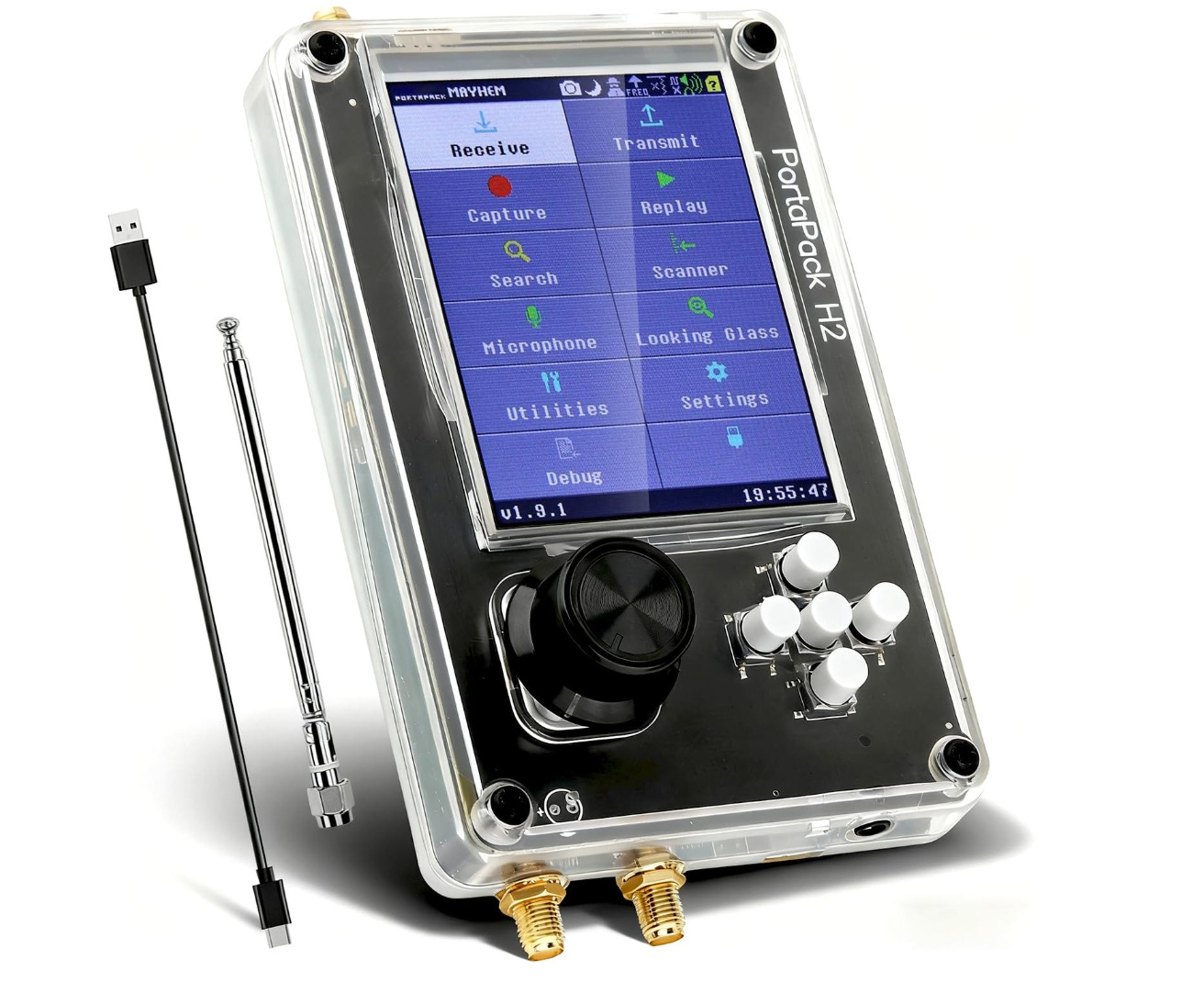
Let’s take a look at the Portapack H2 kit from Open-Source SDR Lab and see why.
Hit this link to get your own portapack with an additional discount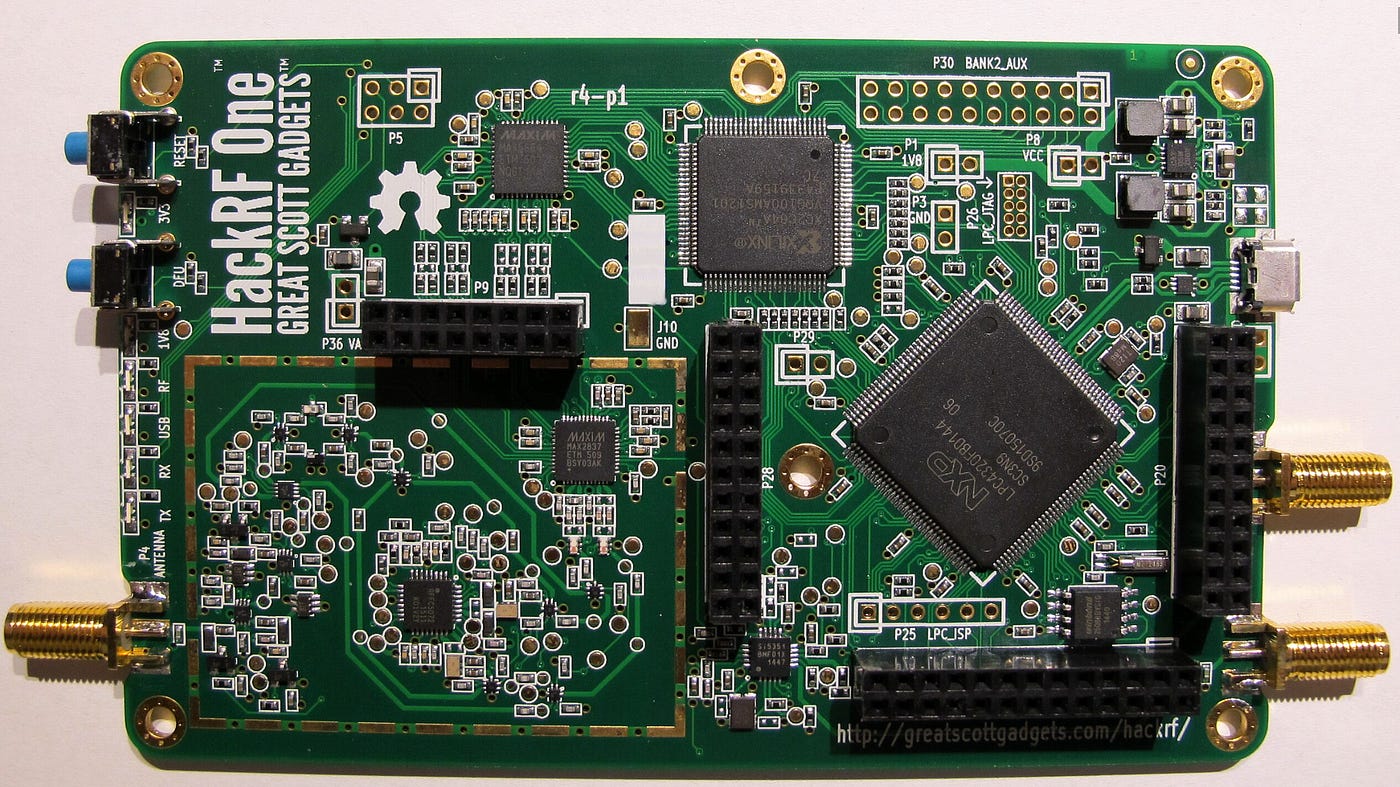
Hardware
An addition to the HackRF One ecosystem, the Portapack is best described as its own individual system that complements the HackRF One SDR board.
Adding a screen, multiple buttons, a battery and a scroll wheel, the Portapack completely changes the HackRF One, making it portable, easy to access and great for using on-the-go.
It retains the same 1MHZ-6GHZ frequency range of the original board while retaining the capability of operating in “HackRF” mode, which allows you to connect the device to your computer to access custom software packages and use the device as a typical SDR.
What really makes the Portapack shine, though is the usage and support of the Mayham firmware. Open-Source and with broad community support, Mayhem is the secret sauce that turns the portapack into a genuinely useful educational or pentesting tool.
While it’s a great system, it isn’t without its flaws.
The lack of an internal speaker means that until you add one, you’re limited to using headphones, while the known issues with the HackRF and its front-end weaknesses remain well-known at this point.
It also requires a gentle touch. The jog wheel lacks a lock, which means it can inadvertently be switched on while not in use, and the earlier design of the Portapack was also not fond of rough handling, with the occasional broken component reported.
It’s important to note that for most people, these problems aren’t going to be a breaking point.
Those who are realistic about the unit’s weaknesses with regard to its price point are unlikely to be disappointed, and the HackRF legitimately makes using radio fun again.
The additional support provided by the OSSDR Lab warranty should cover you if you’re unlucky enough to receive a questionable unit.
Software & Mayhem
It’s not unreasonable to say that, for the most part, the Mayhem Firmware is really what makes the HackRF valuable as a learning tool. In fact, it’s hard to quantify exactly why this is in just a single paragraph, but a quick look at the Wiki shows an active community that is regularly updating the Portpack with new apps and software to really make the system shine.
The Portapack isn’t doing anything groundbreaking or particularly new. What it is doing though, is putting a wrapper on these features and making the whole thing insanely accessible.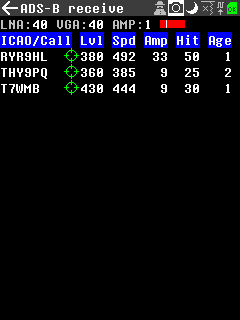
On the receive side, the Mayhem firmware gives you a full suite of programs to tackle passive signal analysis and capture, and can even carry out capture / replay attacks directly out of the box.
You can also explore POCSAG transmissions, analyse Bluetooth traffic, and identify ships/aircraft in your vicinity, while wireless researchers will find the SubGHz capabilities to be quite useful.
It’s the transmit side of the Mayhem package where things get particularly interesting. The system has attracted controversy in the past due to the broad range of transmission features that the device has.
Here, you’ll need to be particularly careful. While the Portapack is reasonably low-powered and has a genuine use case for legitimate researchers and licensed operators, if you’re a beginner, use some caution before you transmit because it’s easy to fall afoul of the law.
However, it’s worth mentioning that using the add-on files for the Flipper can provide endless hours of legal fun in your lab.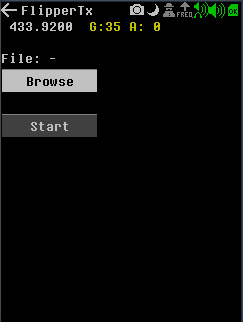
The ISM bands are free for all and legal to access, so they are a great place to start. If you’d like to increase your frequency options and power output, give some thought to getting an amateur radio license to use the full feature set of the Portapack.
Note: If you’ve purchased a Portapack, be sure to check the version against the latest Mayhem release. Some devices will ship with older firmware; using the latest release will ensure you have access to the full feature range.
Build Quality
Some H2 clone designs, like the eBay specials, have often shown poor finishing standards that tend to perform poorly when subjected to regular use. It’s not unfair to say that in some instances, the build quality can be quite variable from device to device.
Thankfully, our test unit faced no such issues. It was well constructed, operated perfectly out of the box, and was generally well put together with no visible signs of defects or deformation.
While the case for the portapack isn’t going to win any design awards, the fact is, it’s a cheap, effective way to protect the device without going over the top. Ours was a simple plastic design, but shielded metal variants for the H2 can be found with a bit of searching.
More modern versions of the Portapack, like the H4, aim to fix the flaws found in earlier versions of the device. Aim to purchase one of those if you find the build quality of the H2 to be lacking.
One final complaint that can be put forward is the SMA connector found on the unit. While it’s well soldered, it is an overall point of weakness. Use a patch cable if you’re regularly changing antennas, moving stations, or operating on-the-go.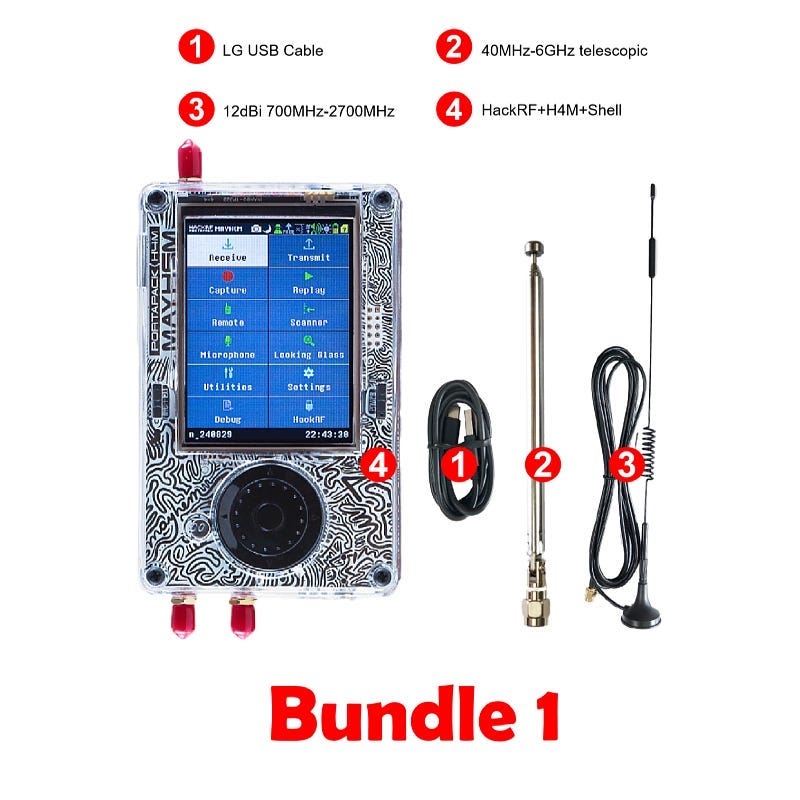
Summary & Get Your Portapack
If you’re sitting behind a computer screen, exploring the world of Radio can sometimes be a hard sell. The Portapack changes all of this by putting a device in your hands that’s fully capable of receiving and interpreting the signals around you.
This alone makes radio fun by inspiring new conversations around the subject and sparking excitement in curious minds.
While theory is essential, it can also be boring. Now, learning can be “find this signal, track this plane, what does this do”, making the whole process more engaging and more hands-on.
More importantly, it’s open source nature and strong community support mean that you get plenty of beginner resources, while investing in a platform that can keep being useful as your skill sets grow. That feature alone provides significant educational value.
As usual, our hardware partners at Open Source SDR Lab have a discount to apply to Radio Hackers readers who want to purchase their own HackRF unit. And, as always, the price is right.
OSSDR Lab provide discounted hardware along with good aftermarket support, meaning you can get your own Portapack with all supported accessories delivered to your door for less than $200.00
Don’t forget to apply the code ‘radiohackers’ at checkout to get an additional 5% off the list price.
If you found this article insightful, informative, or entertaining, we kindly encourage you to show your support. Clapping for this article not only lets the author know that their work is appreciated but also helps boost its visibility to others who might benefit from it.
🌟 Enjoyed this article? Join the community! 🌟
📢 Join our OSINT Telegram channel for exclusive updates or
📢 Follow our crypto Telegram for the latest giveaways
🐦 Follow us on Twitter and
🟦 We’re now on Bluesky!
🔗 Articles we think you’ll like:
- What The Tech?! Space Shuttles
- Shodan: A Map of the Internet
✉️ Want more content like this? Sign up for email updates