Come join us on The Arena
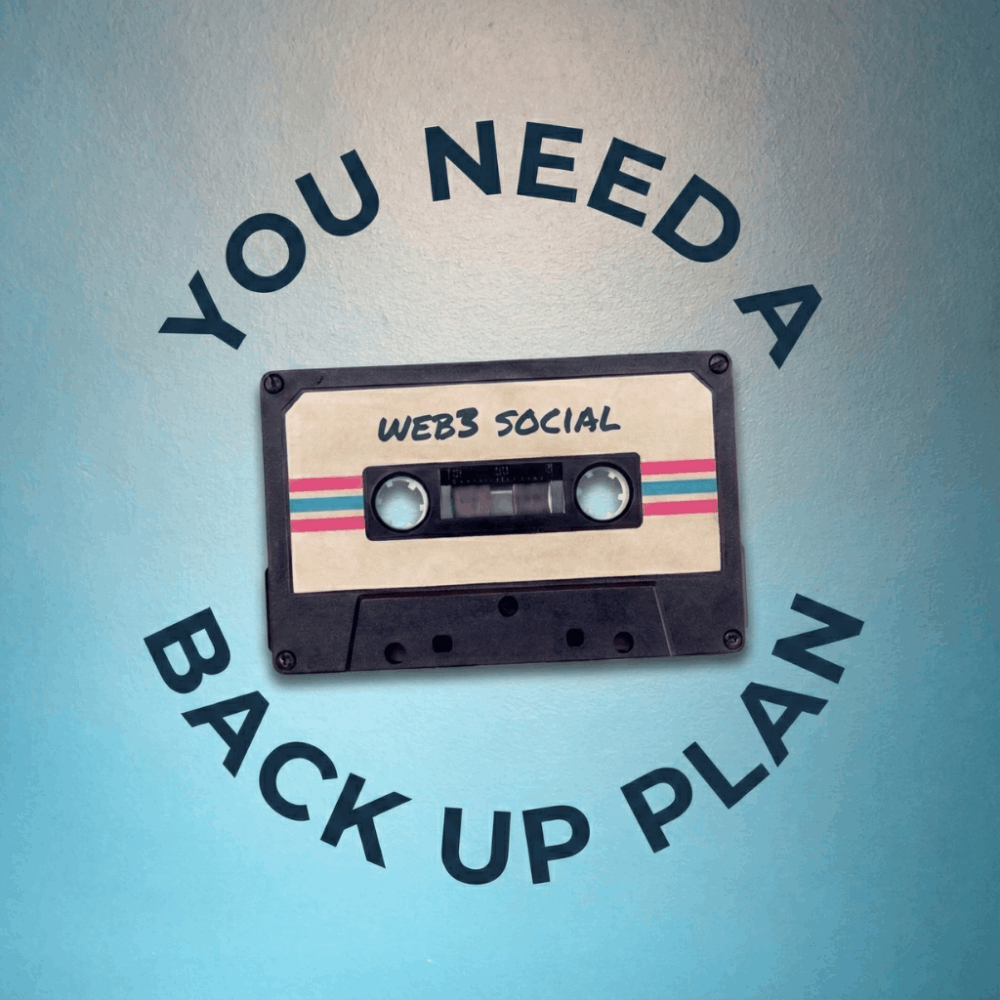
The Arena is one of the leading web3 social platforms out there right now. Their token community feature is outstanding.
You can dive into the details on The Arena itself, but the basics are you can directly launch a token on The Arena, which is currently on the Avalanche C-Chain but they're moving to an Avalanche L1 (previously called subnets) soon.
Each token is locked to the The Arena profile of the creator and get's it's own token community and feed with The Arena.
Our community is $BACKUPPLAN and below is the process on how to become part of our community. 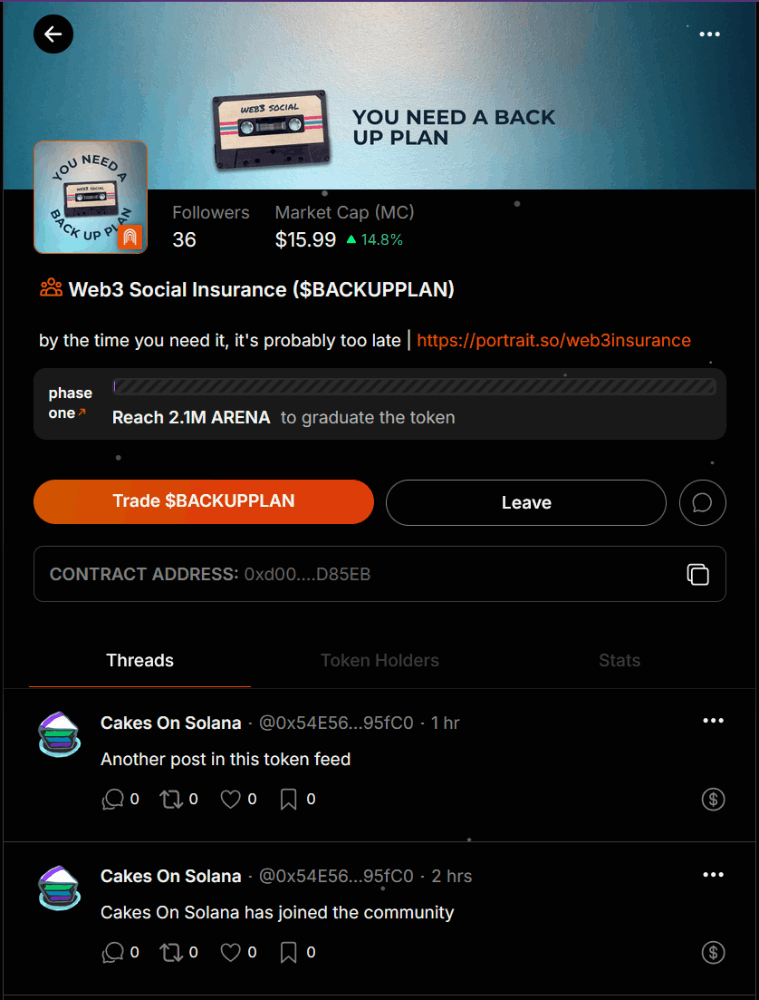
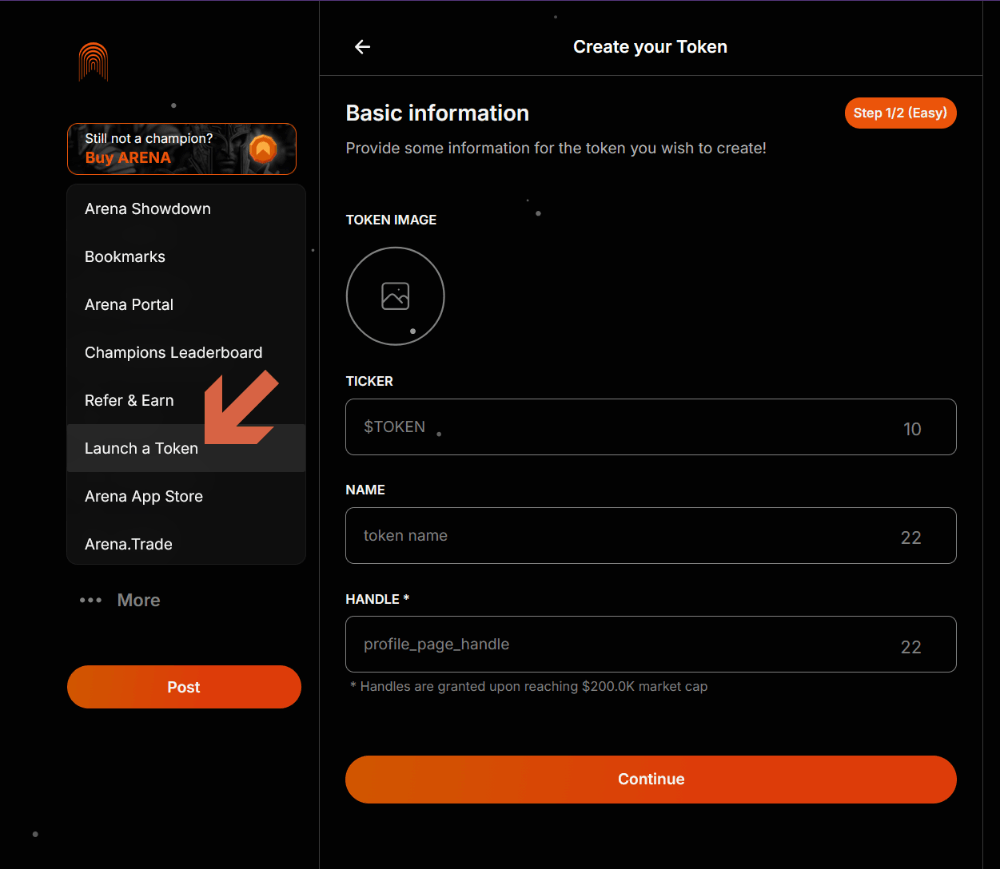
We highly recommend you DO NOT create your The Arena account using your X profile. X is a very unstable platform and by creating your The Arena account from your X account you will lose your The Arena account if you lose your X account. Instead we recommend using the Google or Apple profile options.
Funding your The Arena wallet
To interact with token communities you need to own some of those tokens, and to do that you'll need to get funds into your The Arena wallet.
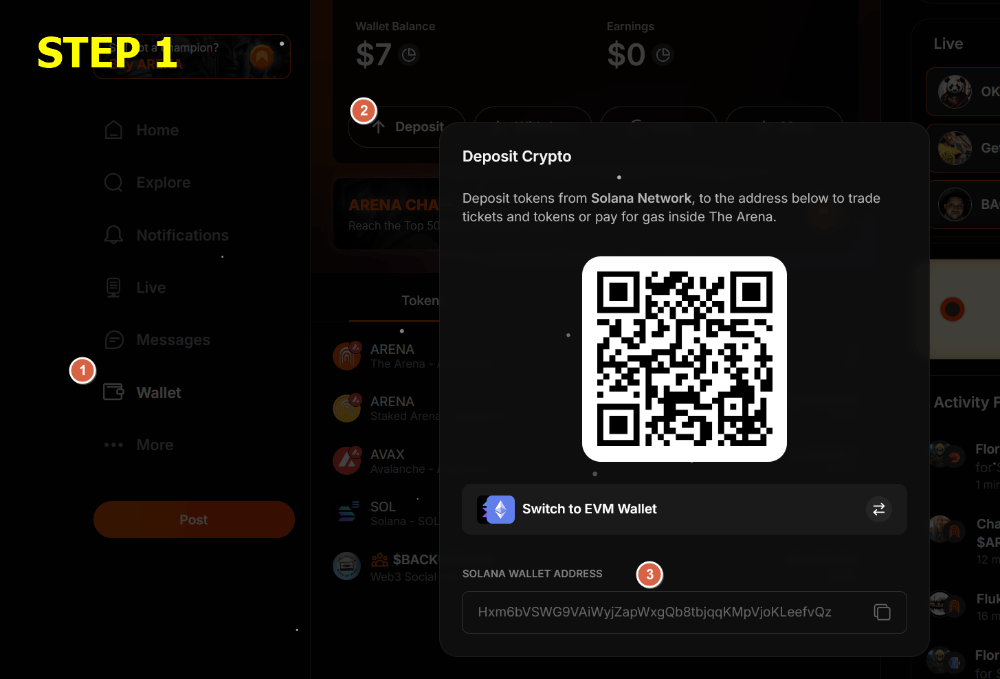
Go to your Wallet (1), click on Deposit (2) and find your Solana wallet (3). Send SOL to your Solana wallet address on The Arena.
NOTE: We're showing you Solana, but you can deposit from a number of EVM chains as well
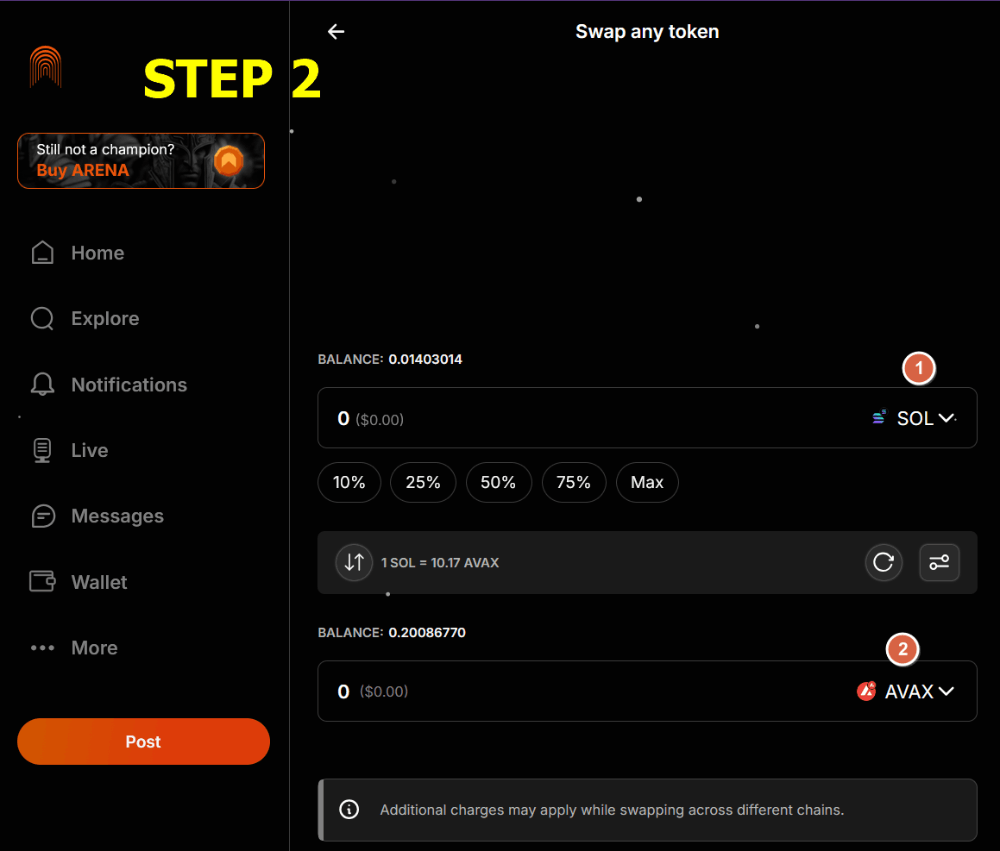
Once you have SOL in your wallet you're going to want to swap it into AVAX to use on the platform. The SOL sits in a Solana wallet on your account which means when you swap The Arena will bridge that SOL from Solana to Avalanche and swap it into AVAX for you. It's all very seamless but it does mean you'll always need some SOL left in your wallet for gas fees. If your transaction fails, check you're leaving enough SOL to pay the fees to bridge out.
NOTE: Most tokens on The Arena are paired with AVAX. Some are paired with ARENA, but we highly recommend you use your ARENA to stake (see More > Arena Portal) and use AVAX to buy tokens.
Success! Now you're ready to trade on The Arena
Finding $BACKUPPLAN (or any token community)
Now we have funds we need to actually find the $BACKUPPLAN community to join it. This process isn't as easy as it should be at the moment. Hopefully this is something we'll see worked on in the near future.
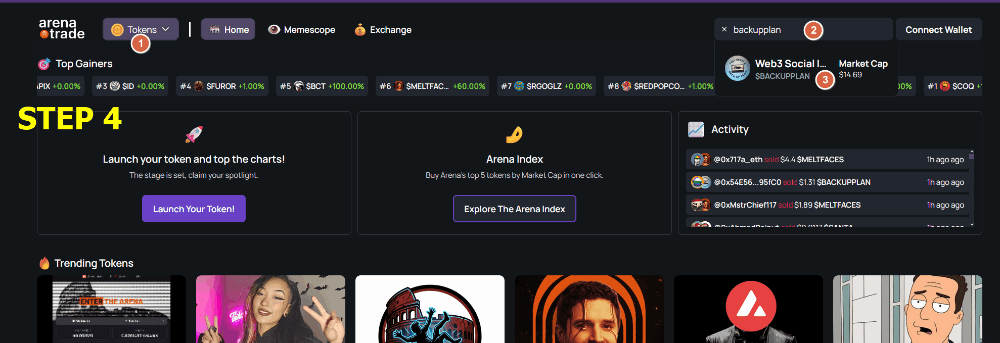
Firstly go to Arena.Trade (it'll open a new tab)
On Arena.Trade select Tokens (1), search for "backupplan" (2) and go to the token page (3)
NOTE: If you select 'Users' instead of 'Tokens' you'll be taken to the ticket trading section. The Arena started as a Friend.Tech fork (called Stars Arena) and so followed the ticket model that Friend.Tech pioneered. Tickets are still a feature on The Arena but tokens are definitely now the main focus of the platform.
NOTE: You don't have to sign into Arena.Trade to find tokens but if you do, to sign into your The Arena account use the method you used to create your account (i.e., X, Google, Apple) or enter your backup email. Arena.Trade is an Avalanche DEX like any other so you can also just sign in with your EVM wallet and trade The Arena tokens on there.
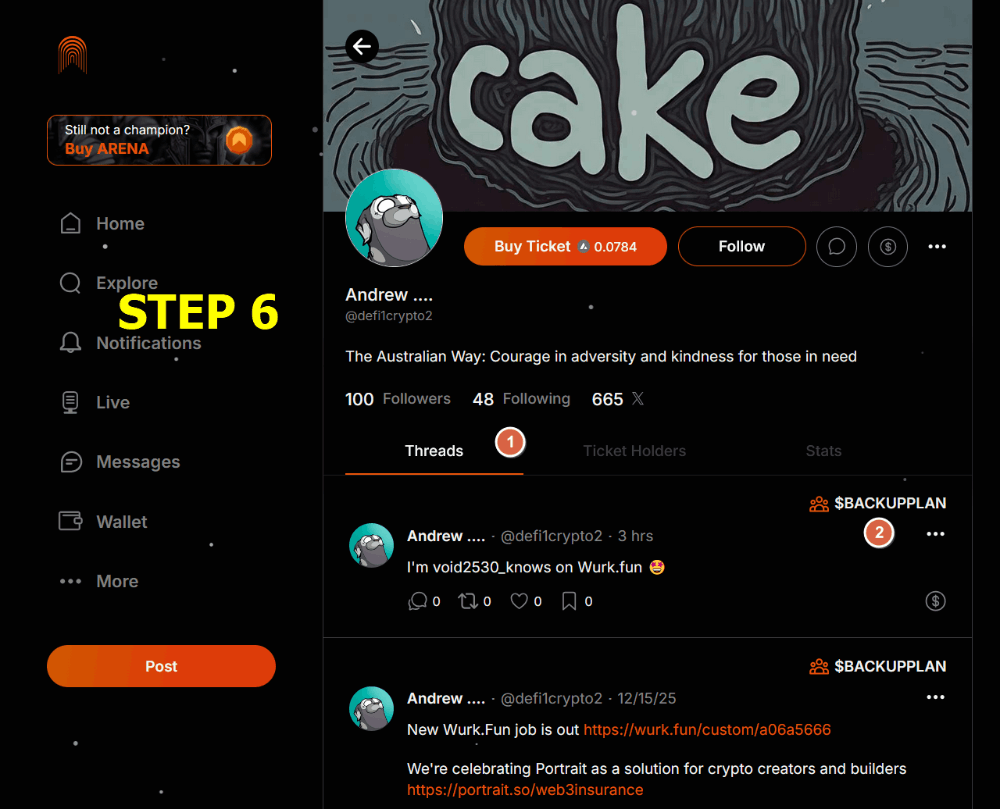
When you're on the token page you can't go directly to the token community on The Arena instead you need to first go to the creator profile (1)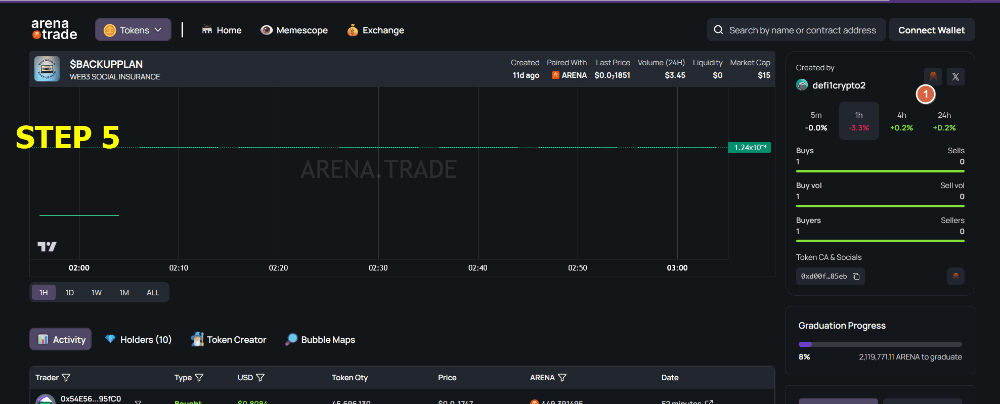
Once you've gone to the creator profile scroll through their Threads feed (1) until you find $BACKUPPLAN posts and then click on the token name on the post itself (2)
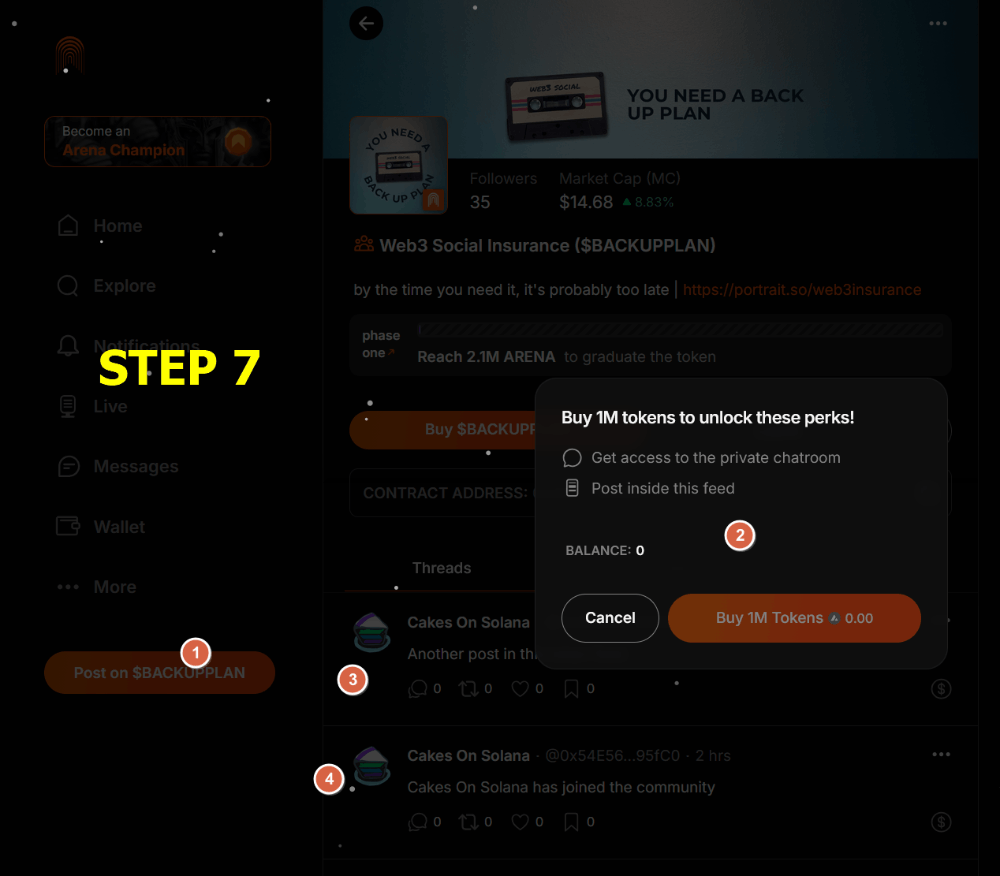
When you get onto the token community page you'll see that you can't post to the community (1) unless you're holding a minimum of 1M $BACKUPPLAN (2)
NOTE: You just need the minimum token threshold to post. If you sell your tokens after posting your posts will still show up on the community (3 & 4). If you want to interact with a few token communities but don't want to have to hold all those tokens at once, this allows you to be more flexible how you use your The Arena funds.
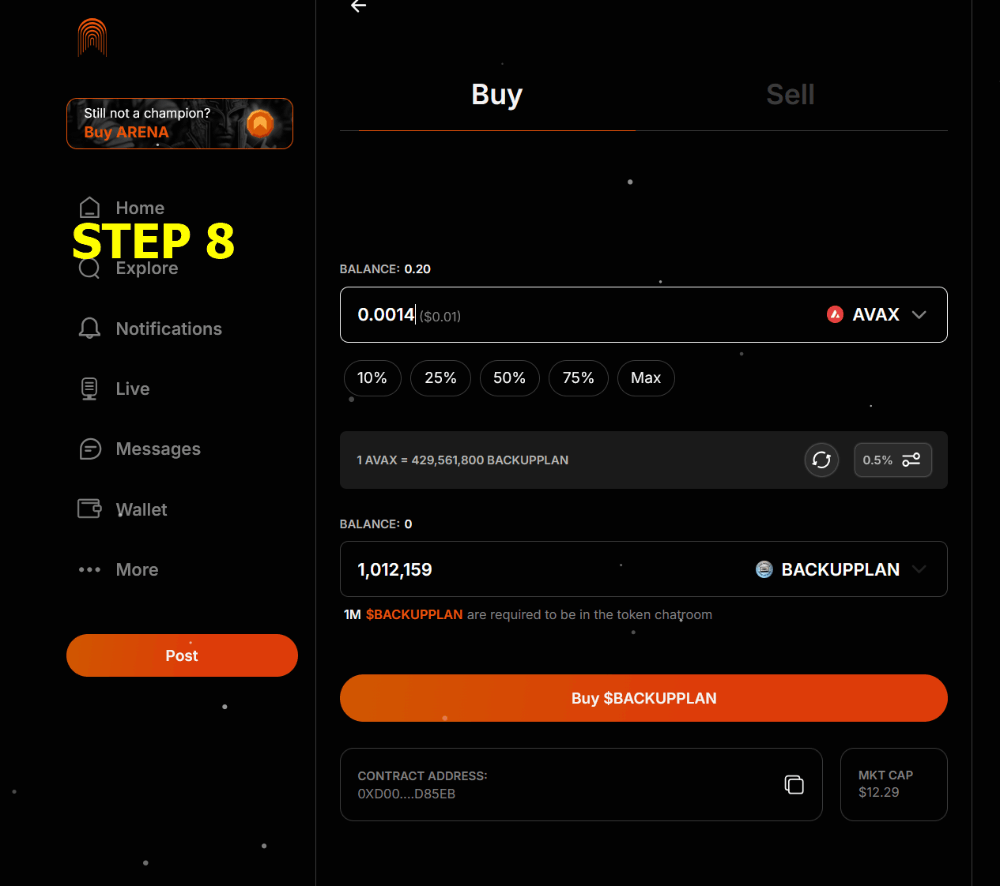
To purchase $BACKUPPLAN just click on 'Buy $BACKUPPLAN' from the community front page and you'll be taken to a trading screen where you can Buy/Sell the token. At time of writing the minimum token threshold for $BACKUPPLAN cost approx. 1c USD.

Posting in a token community
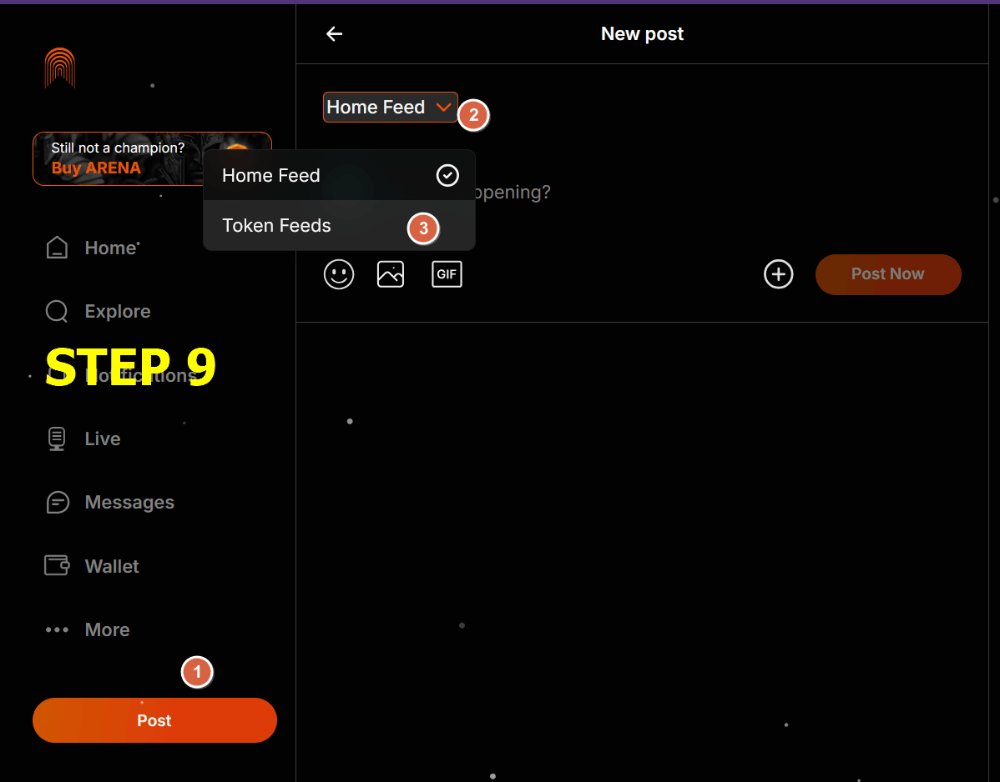
Now you have the minimum token threshold, whenever you want to post in the community, just click Post (1), open your feeds drop down on the post (2) and select the Token Feeds option (3).
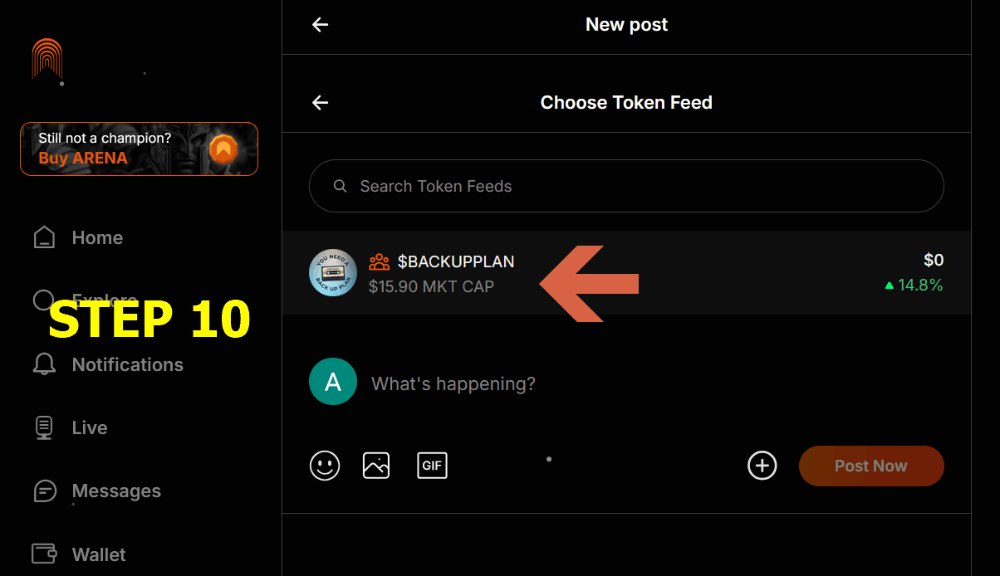
Select $BACKUPPLAN from the list of tokens you hold the minimum threshold to post and then create your post as normal.
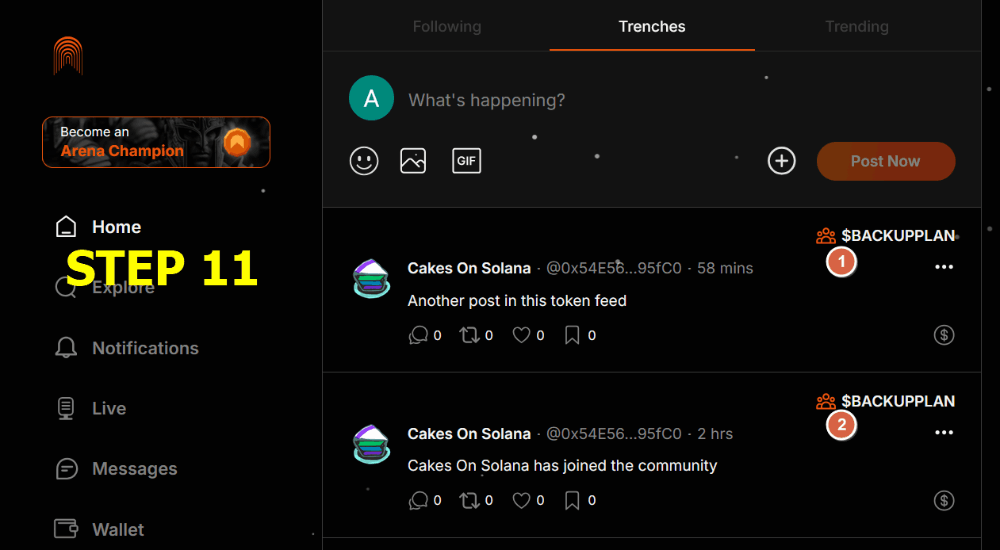
Your posts will show up with the token community tab you've posted with in your Trenches feed (1 & 2).
In this feed you'll also see posts from
- all tokens you currently hold in your wallet
- community token posts made by people you follow
Securing your account
A couple of important things you must do as part of setting up your The Arena account.
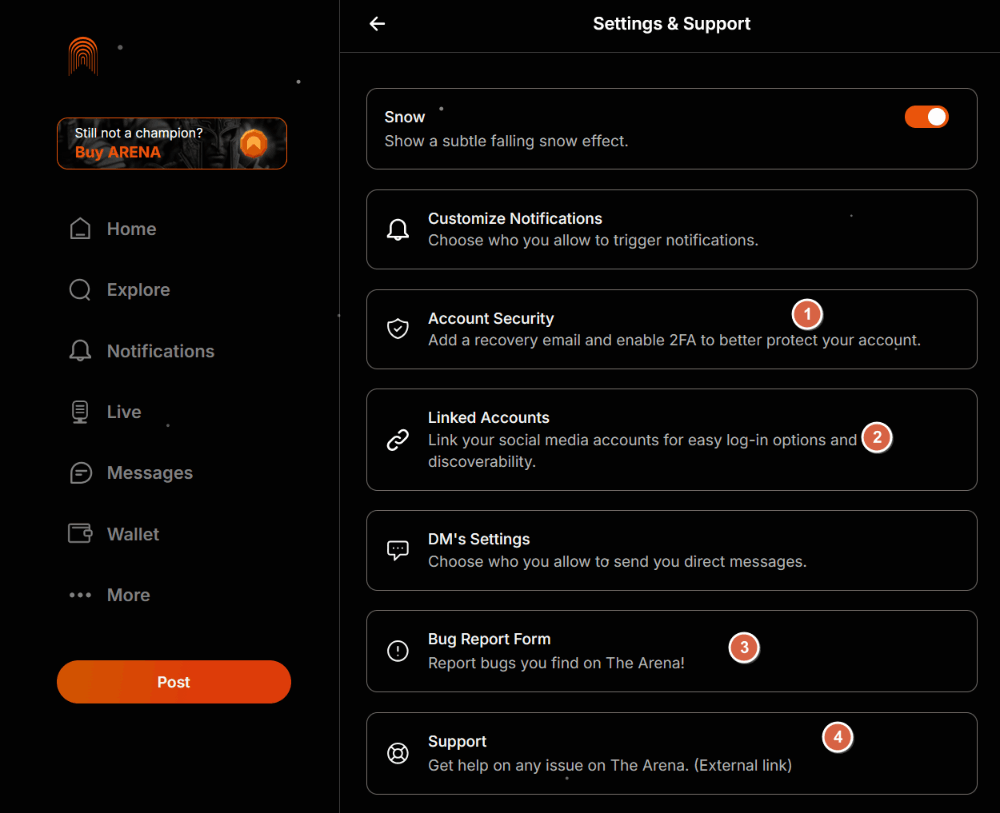
Click on your profile and go to 'Settings & Support'
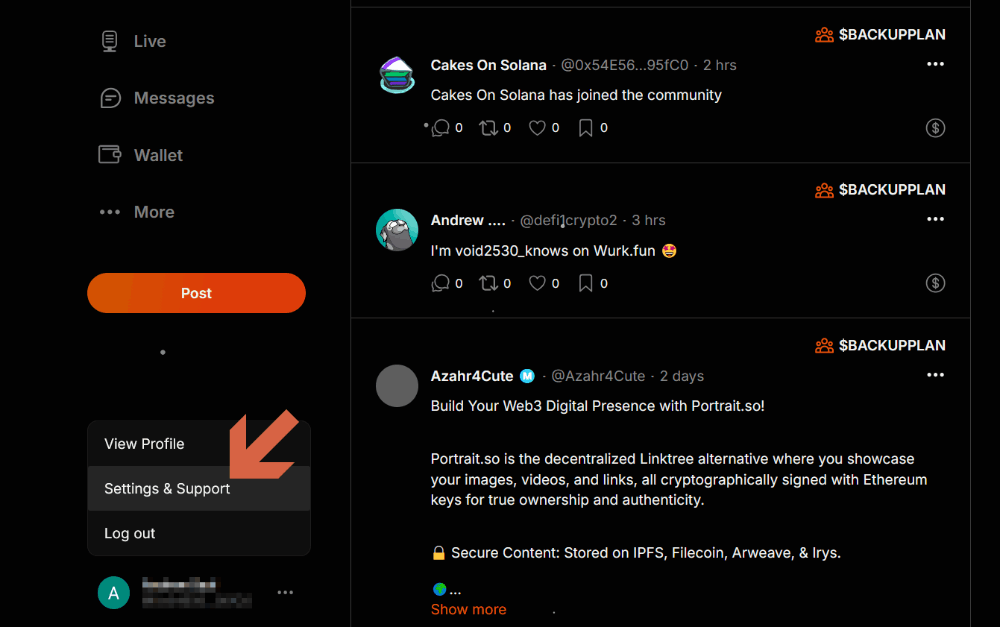
- Add a recovery email, 2FA and download and save your Backup Codes. It's vitally important to take steps to secure and protect your account
- Whilst we highly recommend not to create your account with your X profile, once it's created you can then link your X profile (and other social accounts)
- The Arena is still new and they have an excellent portal to submit bugs, feature requests and questions. We strongly encourage you to use this!
- The Arena has a wonderful support team which are easily accessible so don't suffer in silence, just reach out with any concerns you have.