3 Settings That Are Killing Your iPhone Battery in Nigeria

If your iPhone dies by 4pm, these 3 settings are the reason.
1. Background App Refresh
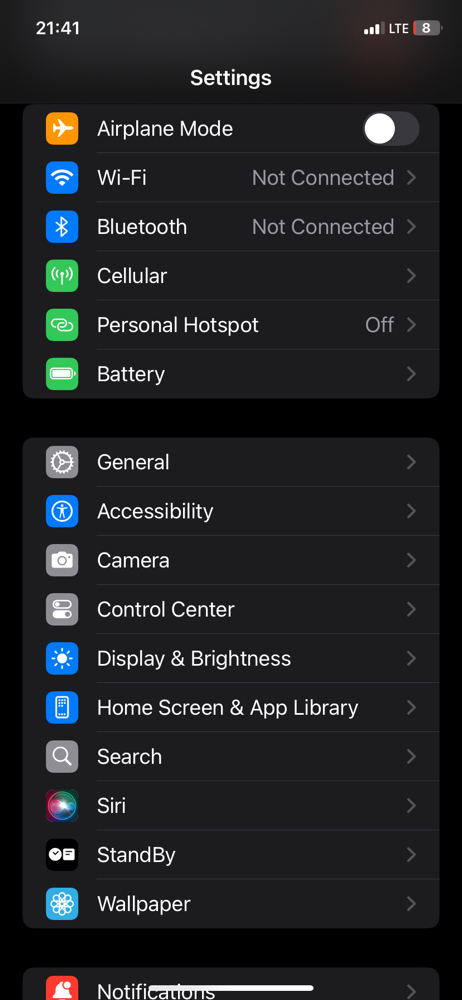
Go to Settings > General > Background App Refresh > Turn it OFF for Facebook, Instagram and TikTok. They keep running even when you are not using them.
2. Location Services - Always
Go to Settings > Privacy & Security > Location Services. Change all apps from "Always" to "While Using". No app needs to track you 24 hours.
3. Push Notifications
Go to Settings > Notifications. Turn OFF notifications for apps you don't need. Every notification lights up your screen and uses battery.
Do these 3 today and your battery will last 3 hours longer.
Which one was ON for you? Tell me in the comments.
Why Your iPhone Battery Dies At 20% So Fast
Article:
Does your iPhone stay on 100% to 50% for long, but once it reaches 20% it dies in 10 minutes? This is why.
Your battery health is low. Check it now:
Go to Settings > Battery > Battery Health & Charging. If it is below 80%, your iPhone cannot hold charge well again.
What to do:
1. Don't charge to 100% every time. Charge to 80% and unplug.
2. Don't use your phone while charging. It makes the phone hot and kills the battery faster.
3. Turn ON Optimized Battery Charging in the same place.
I stopped charging overnight and my battery started lasting longer in 1 week.
What is your Battery Health? Check and tell me in the comments.