How LinkedIn Outreach Automation Software Helps B2B Teams Book More Meetings?
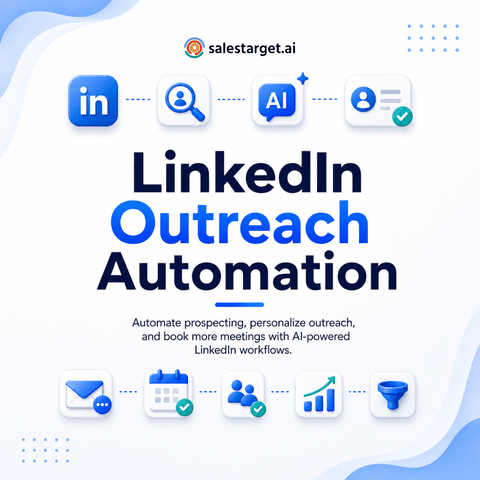
LinkedIn outreach automation software helps B2B teams book more meetings by turning repetitive prospecting tasks into a controlled workflow. It finds and segments relevant prospects, sends personalized connection requests and messages, schedules follow-ups, stops sequences when someone replies, and records each interaction in the CRM. Reps get more time for live conversations, managers get a repeatable process, and prospects receive messages tied to their role, company, or buying signal.
What Is LinkedIn Outreach Automation Software?
LinkedIn outreach automation software manages repeatable prospecting actions that a rep would otherwise complete by hand. The workflow can cover profile research, list building, LinkedIn connection automation, message scheduling, response tracking, and CRM updates.
Good software does not treat every profile as identical. It uses role, industry, company size, recent activity, and campaign logic to decide who receives a message and what happens next. That separates automated LinkedIn outreach from bulk messaging.
The goal is a controlled path from relevant prospect to qualified conversation. A campaign that sends fewer messages to better-matched accounts can create more meetings than a high-volume sequence aimed at a broad list.
Why Does Manual LinkedIn Prospecting Break at Team Scale?
Manual LinkedIn prospecting works when a founder contacts ten carefully selected people. It becomes unreliable when several SDRs must contact hundreds of prospects across territories, personas, and campaigns.
The process becomes inconsistent. One rep follows up after two days, another waits a week, and another forgets. Names move from LinkedIn Sales Navigator to spreadsheets, engagement tools, and the CRM. Each transfer can create duplicates, missing notes, and lost context.
Sales outreach automation removes repetitive work, yet human judgment still matters at the points that affect trust, qualification, and deal progress.
LinkedIn Outreach Automation vs Manual Outreach
Both approaches can produce meetings. The difference is how consistently the team repeats and improves the work.
AreaManual OutreachLinkedIn AutomationProspect researchRep checks profiles one by oneWorkflow collects and segments profile dataMessage timingDepends on rep memoryScheduled by timezone and sequence rulesFollow-upEasy to missLinkedIn follow-up automation runs from preset logicPersonalizationDeep but slowAI personalization uses selected profile fields and signalsCRM loggingManual and incompleteCRM integration records actions and repliesScaleLimited by rep hoursControlled across more prospects and campaignsQuality controlVaries by repTemplates, rules, and approvals create consistencyReply handlingStrong when monitoredStrong only when automation hands replies to a person fast
The final row matters most. Automation can create a conversation, but a meeting is won or lost in the handoff. Teams that wait hours to answer a positive reply waste the attention their workflow created.
How Does a LinkedIn Prospecting Workflow Turn Profiles Into Meetings?
A strong LinkedIn prospecting workflow connects targeting, message logic, channel timing, and rep action. Each demand generation stage should reduce wasted effort rather than increase message volume.
Step 1: Define the Buying Situation
Start with the problem the prospect is likely trying to solve. Job title alone is weak qualification. A VP of Sales at a ten-person startup and a VP of Sales at a global firm may share a title but face very different buying conditions.
Build segments around role, company stage, team size, technology, hiring activity, recent funding, or intent. This gives each LinkedIn outreach campaign a narrow reason to exist.
Step 2: Build and Qualify the Prospect List
Use business and people filters to find accounts that match the ICP, then apply lead qualification rules before anyone enters a sequence. Remove students, consultants, competitors, existing customers, and contacts with weak role fit.
LinkedIn lead generation automation works best when poor-fit records are blocked early. Cleaning the list after messages have been sent is too late.
Step 3: Create Message Logic Around Context
Automated LinkedIn messages should answer one silent question: why are you contacting this person now? A message can reference a role change, hiring pattern, recent post, product launch, or a problem common to that segment.
Avoid fake familiarity. Prospect research should produce a relevant business reason, not a forced compliment. AI outreach can draft the first version, but the campaign owner should approve the message logic before launch.
Step 4: Sequence Connection Requests and Follow-Ups
A practical sequence may start with a profile visit, move to a connection request, wait for acceptance, send a short message, then schedule follow-ups. LinkedIn messaging automation should branch when the prospect accepts, replies, or takes no action.
Teams can study a broader LinkedIn outreach automation workflow before setting campaign rules. The best sequence matches the buying motion, not the one with the most steps.
Step 5: Route Replies to a Human
Positive, negative, and unclear replies need different treatment. A positive reply should create a task, alert the owner, and pause every remaining message. An objection may need a short human response. A firm rejection should close the sequence.
This reply classification is where workflow automation creates real value. It protects the prospect experience and keeps reps focused on lead nurturing and opportunities.
Step 6: Measure Meetings, Not Activity
Connection acceptance and response rate are diagnostic metrics, not business outcomes. Track qualified replies, booked meetings, attended meetings, opportunities created, and conversion rate by segment.
A campaign with a modest reply rate can still win when the replies come from the right accounts. A campaign with many replies can fail when most responses are polite rejections or poor-fit conversations.
What Benefits Matter Most for B2B Lead Generation?
The strongest benefit is capacity. Reps spend less time on copying data, scheduling touches, and remembering follow-ups. That creates more time for account research, discovery calls, and objection handling.
LinkedIn lead automation gives every rep the same baseline for targeting, timing, and follow-up. Managers can compare campaigns without guessing if the difference came from the offer, list, or rep behavior.
It keeps social selling and prospect engagement cleaner too. A contact who replies on LinkedIn should not receive an unrelated cold email thirty minutes later. Multichannel outreach needs a shared contact state so every channel reacts to the same response.
SalesTarget.ai combines lead data, LinkedIn outreach, email, phone, email validation, AI Copilot, and a built-in CRM in one workspace. SalesTarget.ai states that its Lead Explorer covers 840M+ profiles, 146M+ businesses, 4,000+ intent signals, and 50+ data sources.
When prospect data, messaging, and CRM activity live in one flow, reps can move from target account to active conversation without rebuilding context. Review the LinkedIn outreach automation software used to coordinate those steps.
What LinkedIn Outreach Automation Best Practices Protect Reply Quality?
The best practices below focus on meeting quality, not raw send volume.
Segment Before Personalizing
Personalization cannot repair weak targeting. Create groups sharing a role, problem, trigger, or business condition. Then write one message angle that feels native to that group.
Personalized outreach should make the reason for contact easy to understand. It does not need a long paragraph about the prospect’s background.
Use One Clear Ask
A first message should not request a demo, a referral, feedback, a partnership, and a twenty-minute call. Choose one simple next step.
Cold messaging works better when the recipient can answer in a few words. A question such as “Is reducing manual prospect research a priority this quarter?” creates an easier reply than a calendar link with no context.
Set Stop Conditions Before Launch
Every sequence needs rules for reply, connection rejection, role mismatch, duplicate contact, existing opportunity, customer status, and opt-out. These rules prevent the system from contacting someone after the reason for outreach has disappeared.
This is a major gap in many LinkedIn outreach templates. They define what to send but ignore when the workflow must stop.
Match Timing to Signal Freshness
Not every trigger stays useful for the same length of time. A new executive hire may remain relevant for weeks. A comment on a live industry discussion may lose value within days.
Treat trigger age as part of lead scoring. Old signals create messages that feel automated, no matter how polished the wording sounds.
Keep Account Safety Inside the Workflow
Teams should review LinkedIn’s User Agreement and use conservative activity rules. Rate limits, warm-up logic, human-like delays, working-hour schedules, and auto-pause controls should be part of the campaign setup.
Safe LinkedIn cold outreach is not a trick for hiding automation. It is disciplined use that favors relevance, controlled activity, and account health.
What Mistakes Reduce Meetings From LinkedIn Message Automation?
Sending the Same Pitch to Every Persona
A founder, RevOps leader, and SDR manager may care about the same product for different reasons. One universal pitch forces each prospect to translate the value on their own.
Build message angles by buying responsibility. The product stays the same, but the operational problem changes.
Optimizing for Connection Acceptance
Connection requests can earn high acceptance when they are neutral or vague. That metric can look healthy when no sales conversation follows.
Measure what happens after acceptance. If accepted contacts ignore the first message, the request created network growth, not pipeline.
Letting Automation Continue After Interest
A prospect replies with a buying question, then receives the scheduled follow-up the next morning. Trust drops at the exact moment the account becomes valuable.
Pause logic must run at the contact level across LinkedIn, email, and phone. This is where disconnected LinkedIn prospecting tools create avoidable damage.
Using AI Copy Without Source Controls
AI can generate fluent text from weak or incorrect inputs. A wrong job title, stale company fact, or invented compliment makes the message feel careless.
Restrict AI to approved data fields. Give it the segment, problem, trigger, proof point, and ask. Keep human review for new campaigns and high-value accounts.
Ignoring Reply Handoff Time
Prospects lose interest, enter meetings, and respond to other vendors. A delayed human reply lowers the value of every earlier step.
Track median time from positive reply to rep response. Treat it like a pipeline metric, not an inbox preference.
More automated activity will not repair slow follow-up or weak qualification. Connect each positive reply to an owner, a task, and a response target so interest turns into a real sales conversation.
How Should Teams Choose LinkedIn Outreach Automation Tools?
A sales automation tool should support how your team sources leads, qualifies accounts, writes messages, handles replies, and records pipeline.
Check for conditional sequences, coordinated LinkedIn and email steps, reliable AI personalization, safety controls, and CRM sync. LinkedIn outreach automation tools that automate one action may create more manual work across the rest of the sales engagement stack.
Review reporting by segment. Campaign totals hide which persona, trigger, message angle, or territory produces meetings. The system should connect activity to sales pipeline.
SalesTarget.ai is built for outbound sales teams that want lead discovery, validation, LinkedIn outreach, email sequences, calling, and CRM tracking in one place. Its coordinated contact state helps stop competing messages after a reply and gives the rep the context needed for the next conversation.
Final Thoughts
LinkedIn outreach automation helps teams book more meetings when it removes repetitive work without removing judgment. The winning LinkedIn outreach strategy starts with narrow targeting, uses fresh signals, sends short messages, stops at the right moment, and moves interested prospects to a person fast.
The real gain is a repeatable path from qualified account to timely conversation, with less data loss and fewer missed follow-ups. SalesTarget.ai brings prospect data, AI personalization, multichannel outreach, reply handling, and CRM activity into one flow.
Build a LinkedIn outreach process your reps can run every day without spreadsheets, disconnected tools, or missed replies. Use SalesTarget.ai to find the right prospects, start relevant conversations, and turn interest into booked meetings.