Don't Get Drained: The Complete Web3 Safety Guide for 2026

"In Web3, you are your own bank. That power comes with responsibility — and criminals know it."
Introduction: The Stakes Have Never Been Higher
In the first half of 2025 alone, over $3.1 billion was stolen across Web3. On Solana specifically, more than $250 million was lost — not from protocol hacks, but from ordinary users making ordinary mistakes. Clicking the wrong link. Signing the wrong transaction. Trusting the wrong person in a Discord DM.
The tragedy is that most of these losses were preventable.
Web3 gives you something traditional finance never has: complete sovereignty over your assets. No bank can freeze your account. No platform can deny you access. But that same sovereignty means there is no customer support line to call when things go wrong. No fraud department. No chargebacks. Once a transaction is signed and confirmed on-chain, it is final.
This guide exists to make sure you never learn that lesson the hard way.
We're going to cover everything: the three-wallet system, how to spot a scam before it spots you, what address poisoning is and why it just cost someone $50 million, how to create a burner wallet step by step, and how to revoke old permissions that might be quietly waiting to drain you right now.
By the end of this, you'll operate in Web3 the way experienced on-chain users do — with a mindset called verify, don't trust. Let's get into it.
The Three-Wallet System — Your Foundation
Before we talk about scams, you need the right architecture. The single biggest structural mistake new Web3 users make is keeping everything in one wallet. One wallet means one compromised seed phrase, one bad signature, one wrong click — and everything is gone.
Experienced users think in three layers:
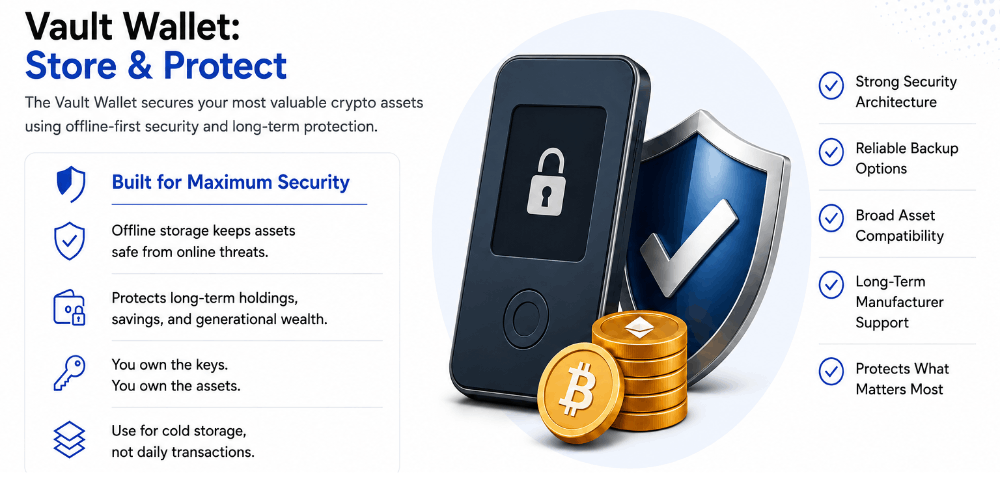
The Cold Wallet (Your Vault)
A hardware wallet — Ledger or Trezor are the most trusted names — stores your private keys completely offline. Your keys never touch the internet. Even if your computer is infected with malware, the cold wallet is untouchable. This is where your long-term holdings live: meaningful amounts of SOL, ETH, stablecoins, blue-chip NFTs.
Rule: The cold wallet connects to the internet only when you deliberately need to move something significant. It never connects to new or unverified dApps.
The Main Hot Wallet (Your Spending Account)
A software wallet — Phantom for Solana, MetaMask for EVM chains — used for regular DeFi activity with established protocols you trust: Jupiter swaps, Raydium LP positions, established NFT marketplaces. Keep only what you need for active use. A clean rule of thumb from security researchers: your hot wallet should hold only what you can afford to lose this month.
The Burner Wallet (Your Hazmat Suit)
A completely separate wallet used exclusively for interacting with anything new, unverified, or risky. New mints. Unknown airdrop claims. Experimental dApps. If the burner gets drained, you lose only what you put in it — typically a small amount of gas and whatever tokens the specific interaction required.
The burner isn't paranoia. It's how every serious on-chain user operates in 2026.
How to Create a Burner Wallet (Step by Step)
Creating a burner wallet takes under five minutes. Here's how to do it on Metamask/Phantom for Solana: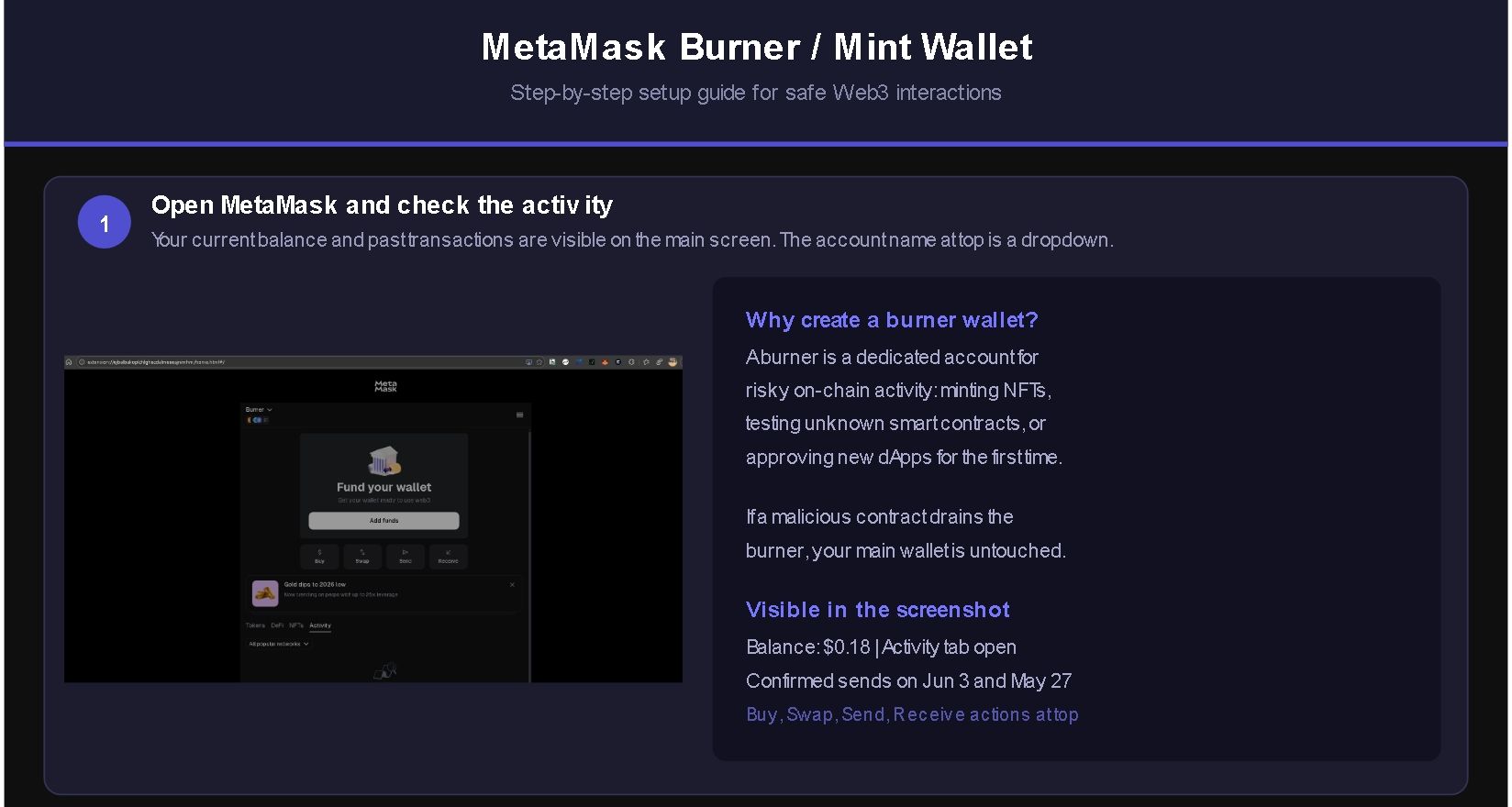
Step 1: Open your Metamask/Phantom wallet and click on your account name at the top of the screen.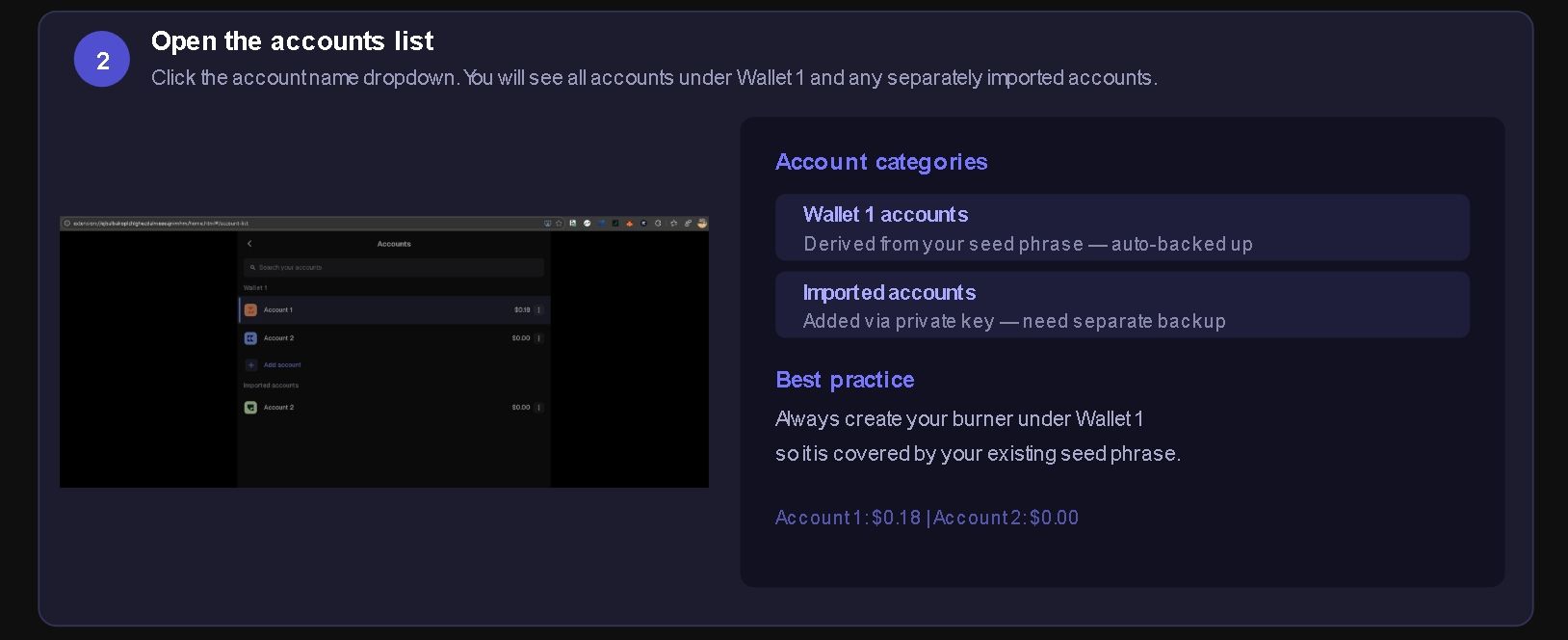
Step 2: Select "Add / Connect Wallet" from the dropdown menu.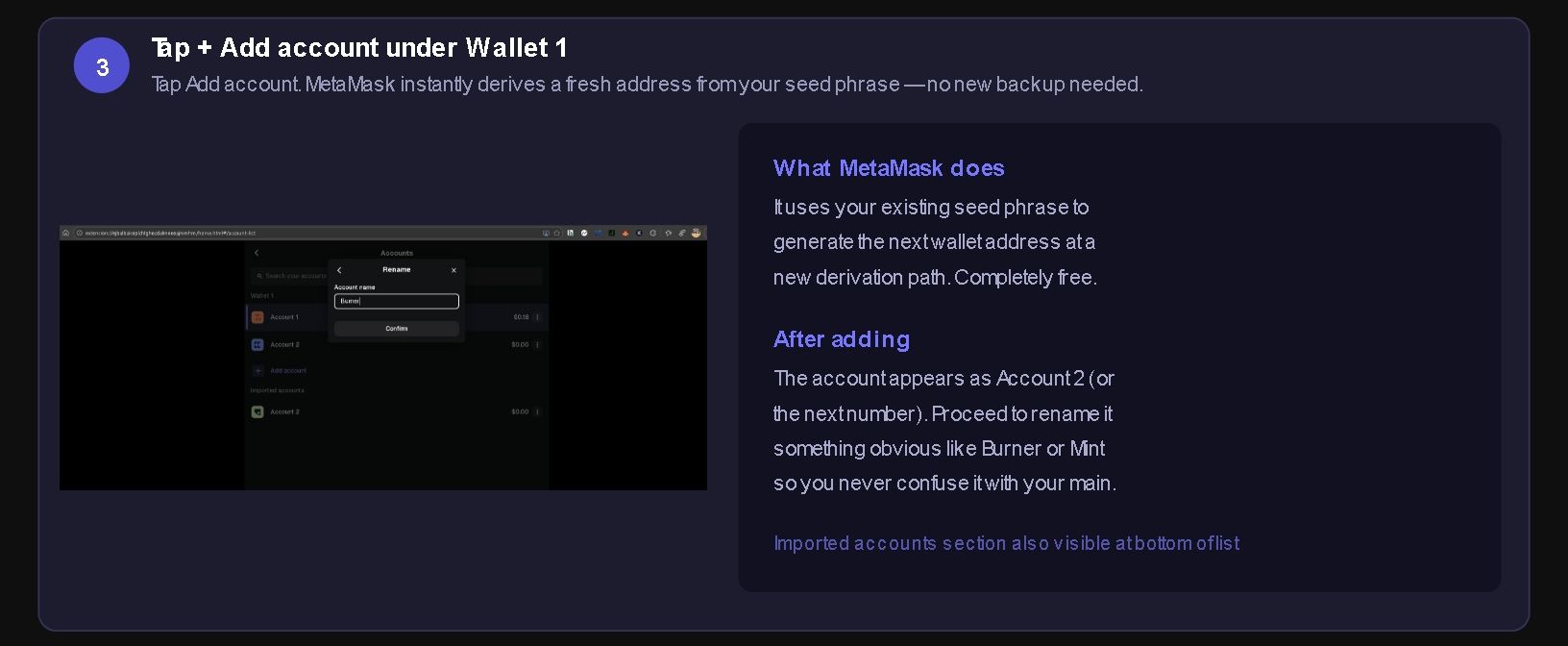
Step 3: Choose "Create New Wallet." Metamask/Phantom will generate a completely new wallet with its own seed phrase — separate from your main wallet.
Step 4: Write down the new seed phrase on paper and store it somewhere safe. Even for a burner wallet, you want to be able to recover it if needed.
Step 5: Label this wallet something clear — "Burner" or "New Mints" — so you never confuse it with your main wallet.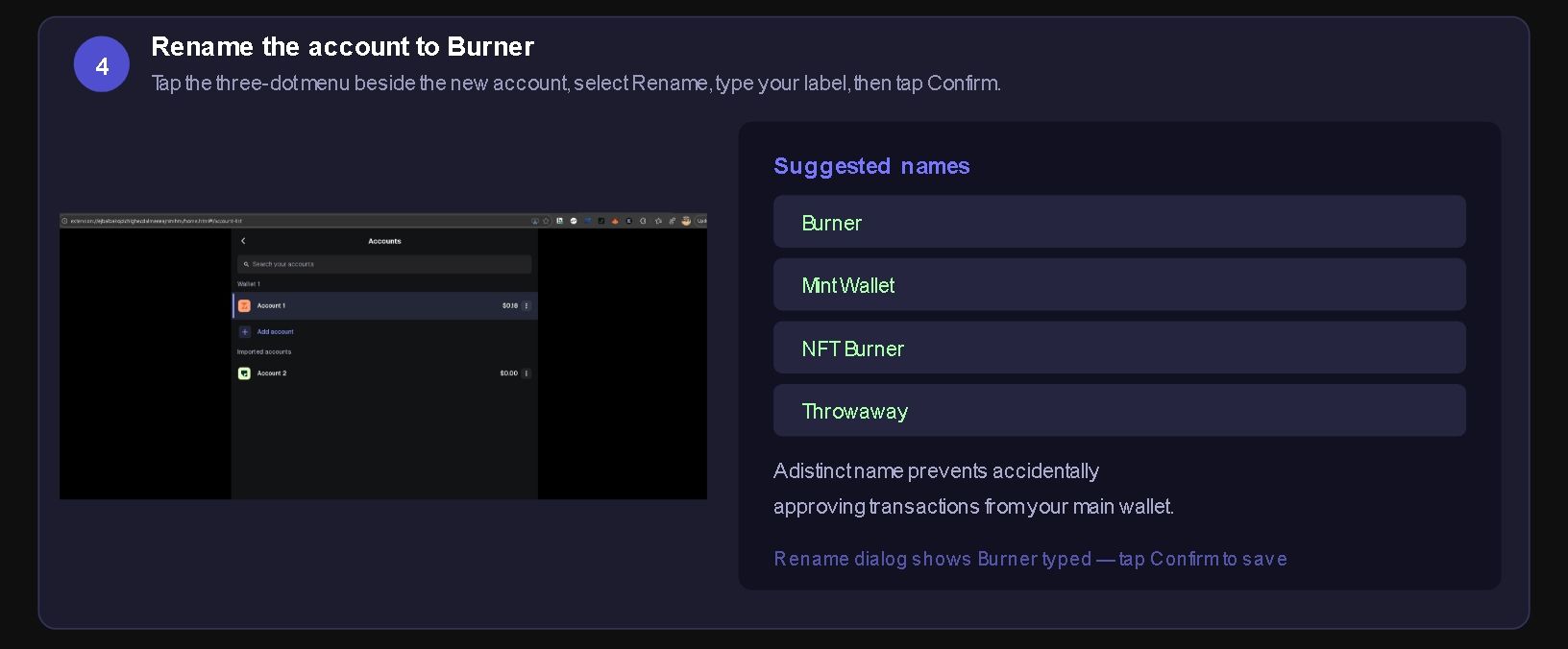
Step 6: Send a small amount of SOL to the burner (just enough to cover gas for whatever you're doing — usually 0.05–0.1 SOL).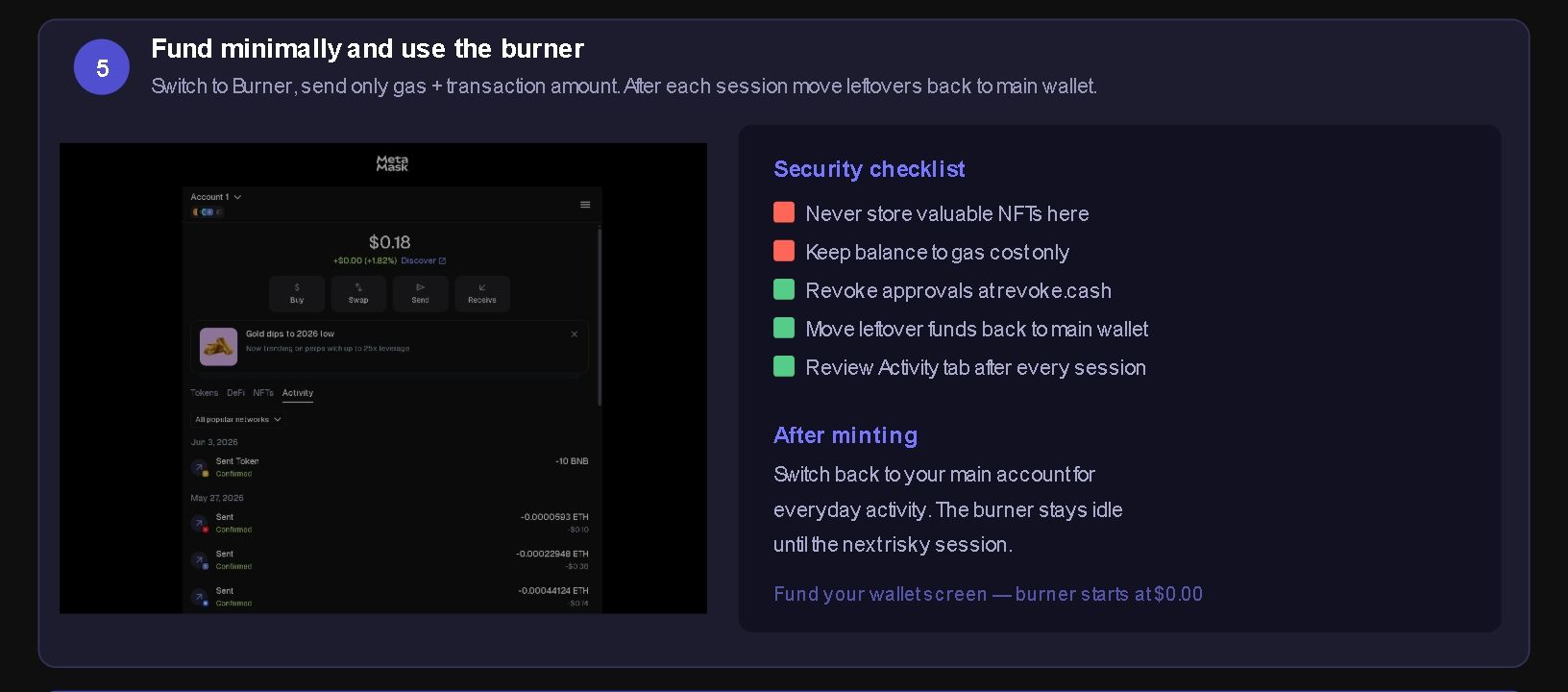

That's it. Before connecting to any site you're not 100% sure about, switch to your burner wallet first. If anything goes wrong, your main wallet and cold storage are completely untouched.
Before You Connect — What to Check
Every time you're about to connect your wallet to a new site, slow down. This thirty-second checklist has saved people from losing everything:
Check the URL carefully. Scammers create near-identical sites with slight URL variations. jupiter.ag is real. jupiterr.ag, jupiter-exchange.io, j-upiter.ag are not. Homograph attacks use characters that look identical to the real ones at a glance. Bookmark every site you use regularly and navigate from your bookmarks — never from links in Discord, Telegram, or DMs.
Find the official links yourself. Go to the project's official X account (verified, with a long history of posts — not a newly created account), find their official website link there, then navigate directly to it. Never trust links shared in comment sections or replies on X — scammers park themselves under official announcements with clone links.
Check the site's age. New domains are a red flag. Tools like who.is show you when a domain was registered. A site registered three days ago claiming to be a major protocol's official airdrop portal is not a major protocol's official airdrop portal.
Read what the connection is actually asking. When your wallet prompts you to connect, it shows what permissions you're granting. A site asking to "view your balance and activity" is normal. A site asking to "transfer and approve all tokens" before you've done anything is a drainer.
When in doubt, use your burner. There is no urgency that justifies skipping this step. If you miss a mint because you took 60 seconds to verify the URL, you missed a mint. That's recoverable. An empty wallet is not.
The Scams You'll Actually Encounter
This is not a theoretical list. These are the attacks that stole billions in 2025 and are still active in 2026.
Phishing Sites and Wallet Drainers
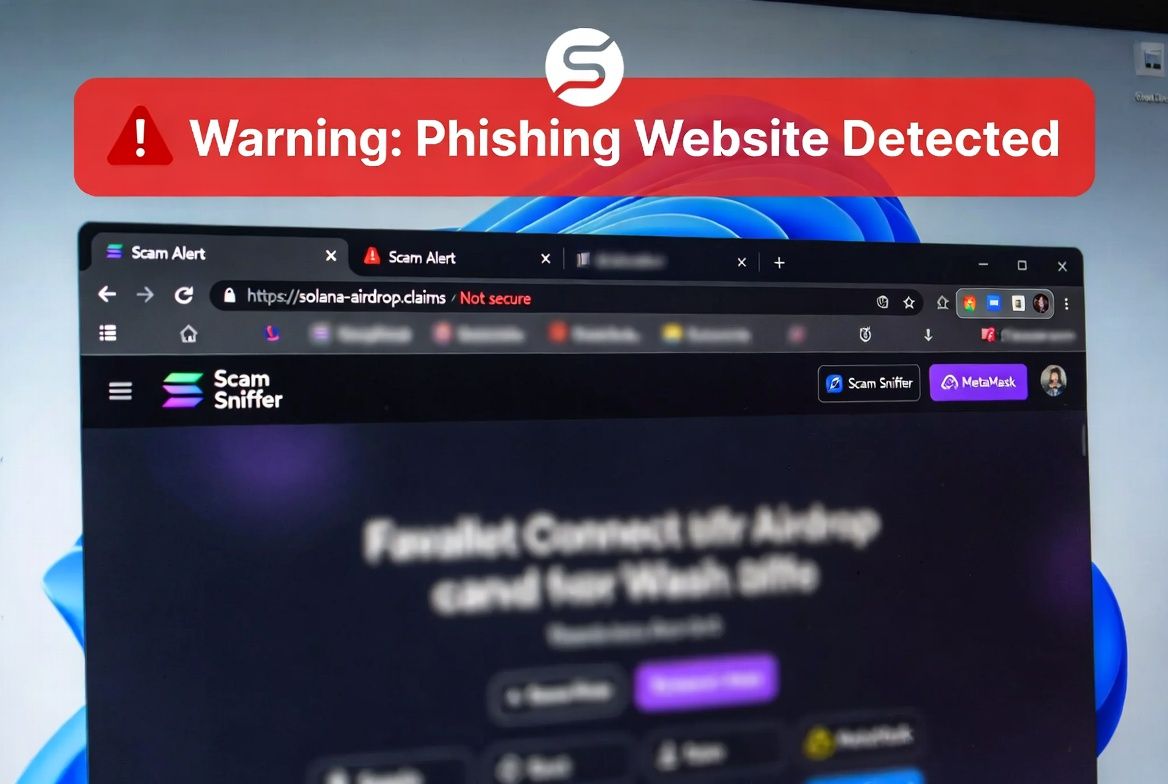
Scammers build pixel-perfect replicas of real dApp frontends — Jupiter, Magic Eden, Raydium, popular NFT mint pages. The URLs are slight misspellings: pengu-airdrop.io instead of pengu.io. When you connect your wallet and sign the transaction they prompt, you've signed over permission for their contract to drain your funds instantly.
Drainer attacks have evolved into a "drainer-as-a-service" model — criminals buy pre-built kits and deploy them targeting any new hype cycle: popular NFT launches, token airdrops, trending protocols. Even legitimate sites have been compromised. In 2025, CoinMarketCap's homepage was briefly hijacked to serve a drainer script that hit over 110 users.
The protection: Scam Sniffer is a free browser extension that maintains a blacklist of known phishing domains and alerts you before you even land on the page. It's trusted by Phantom, Binance, and Bybit. Install it.
Fake Airdrops and Malicious Approvals
You see a token appear in your wallet. It claims to be from a new project distributing free tokens to early Solana users. To "claim" more, you need to visit a site and connect your wallet.
When you connect and sign, one of two things happens: the site activates a drainer immediately, or — worse — you sign an approval that grants that contract unlimited token-spending rights. This is a time-delayed attack. The drain happens hours or days later, after you've forgotten about it.
The protection: Treat any unsolicited token that appears in your wallet as hostile. Do not interact with it. Do not visit any site it links to. Don't even try to sell it — some malicious tokens trigger drainer functions when you attempt to approve a swap.
Address Poisoning
This one is surgical and patient. An attacker sends you a tiny transaction — sometimes as small as $0.00 — from a wallet address that looks almost identical to an address you've previously sent funds to. They're counting on a specific habit: when you need to send funds, you open your transaction history, copy a recent address, and paste it.
If you copy the attacker's poisoned address instead of the real one, your funds go to them. On December 20, 2025, a trader lost nearly $50 million in USDT this way. The attacker had planted a lookalike address in the victim's transaction history weeks before.
The protection: Never copy an address from your transaction history. Always get the destination address directly from the recipient or official source. Before confirming any transaction, verify the first four AND last four characters of the address manually — every single time.
Fake Support DMs
You post in a Discord server or Telegram group asking for help. Within minutes, someone with an official-looking username and profile picture DMs you. They're "support staff." They want to help you resolve your issue. They'll ask you to share your screen, visit a "verification portal," or — eventually — share your seed phrase.
No legitimate project support will ever DM you first. No legitimate support will ever ask for your seed phrase. The rule is absolute and has no exceptions.
Pig Butchering and "Task" Scams
Longer-term social engineering. Someone builds a relationship with you over days or weeks — sometimes romantic, sometimes professional — then introduces you to an "investment opportunity" or a "Web3 task platform" with impressive returns. The platform looks real. Early withdrawals might even work, to build trust. Then you're encouraged to deposit more, often with promises of higher returns. When you try to withdraw your full balance, there's a "tax fee" you need to pay first. This fee has no end.
These operations stole between $600K and $1.3M per victim in documented cases in late 2025.
The protection: If someone you met online is introducing you to a financial opportunity, the answer is no.
The Red Flags Checklist
Before interacting with any new project, run it through this list. One red flag is a warning. Two or more is a no.
- Anonymous team with no verifiable history. Real projects have doxxed founders or verifiable track records. "Anonymous for privacy reasons" is cover.
- Fake urgency. "Claim expires in 10 minutes." "Only 200 spots left." "Wallet will be frozen." Urgency is manufactured to prevent you from thinking clearly.
- Too-good-to-be-true rewards. 500% APY. Free ETH just for connecting. Guaranteed returns. Real DeFi protocols don't guarantee anything.
- Copied or AI-generated website. Check the About page, team bios, and whitepaper. Generic stock photos, Lorem Ipsum placeholder text, or a whitepaper that reads like it was written by a content spinner are signs.
- No audit. Any DeFi protocol asking you to deposit funds should have a published security audit from a credible firm (CertiK, Halborn, OtterSec for Solana). No audit means unreviewed code handling your money.
- Unverified social media. A project with 50,000 Twitter followers but only 200 real engagements per post has bought followers. Check the ratio.
- Domain registered recently. Cross-check the domain age against the project's claimed history.
- Support asking for your seed phrase. Stop immediately and leave.
Revoking Old Approvals — Do This Today
Every time you interact with a dApp, you grant it permission to access your tokens. These approvals stay active indefinitely unless you manually revoke them. A protocol you used once six months ago still has permission to move your tokens. If that protocol is ever exploited, that old permission is the attacker's key to your wallet.
Phishing attacks exploiting forgotten approvals cost users over $1 billion in 2024 according to CertiK.
Revoking on Ethereum and EVM Chains
Go to revoke.cash — the most trusted tool for this. Connect your wallet or enter your address. You'll see every active approval listed. Sort by date to find old ones. For anything you no longer actively use, click Revoke and confirm in your wallet. You'll pay a small gas fee per revocation.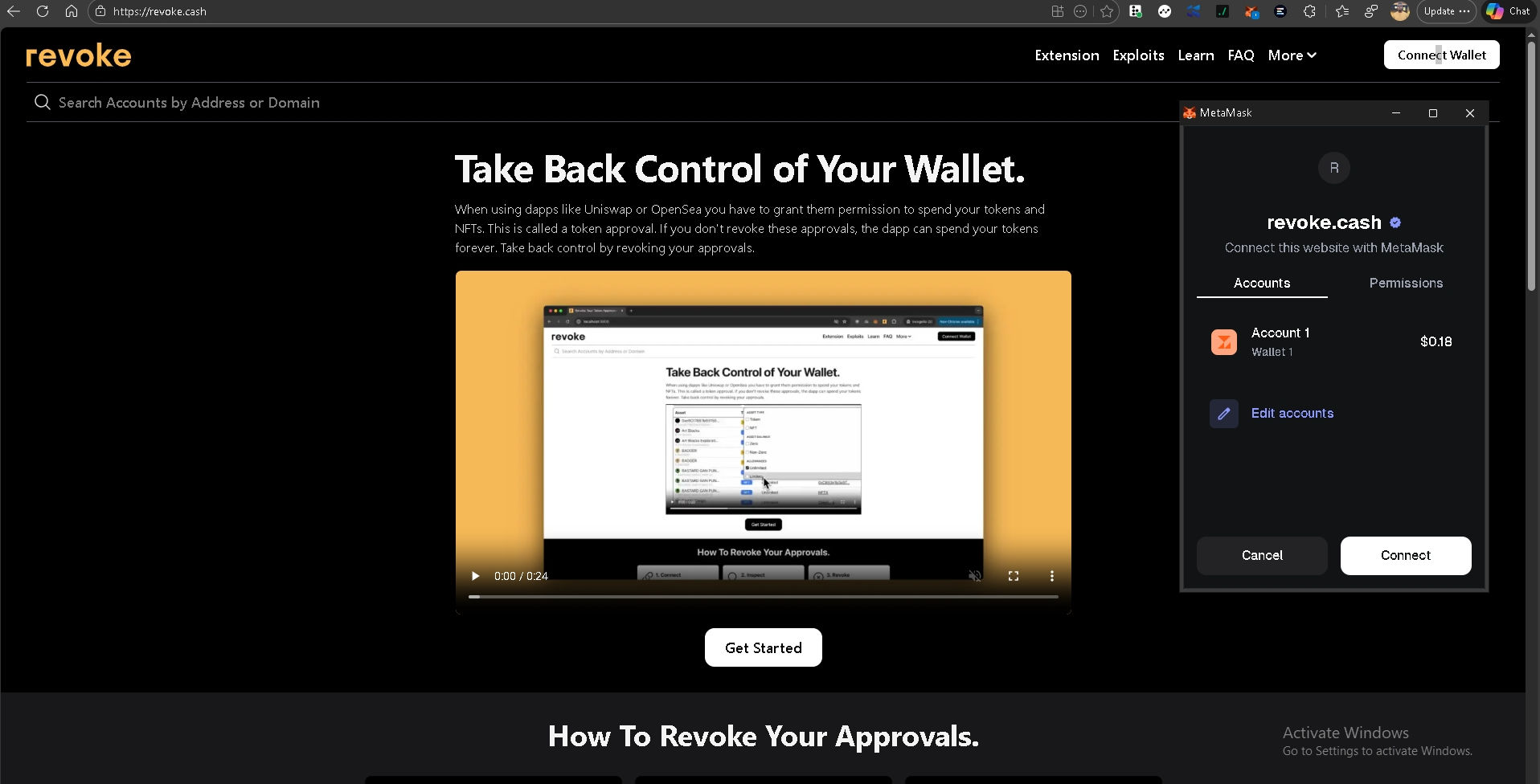
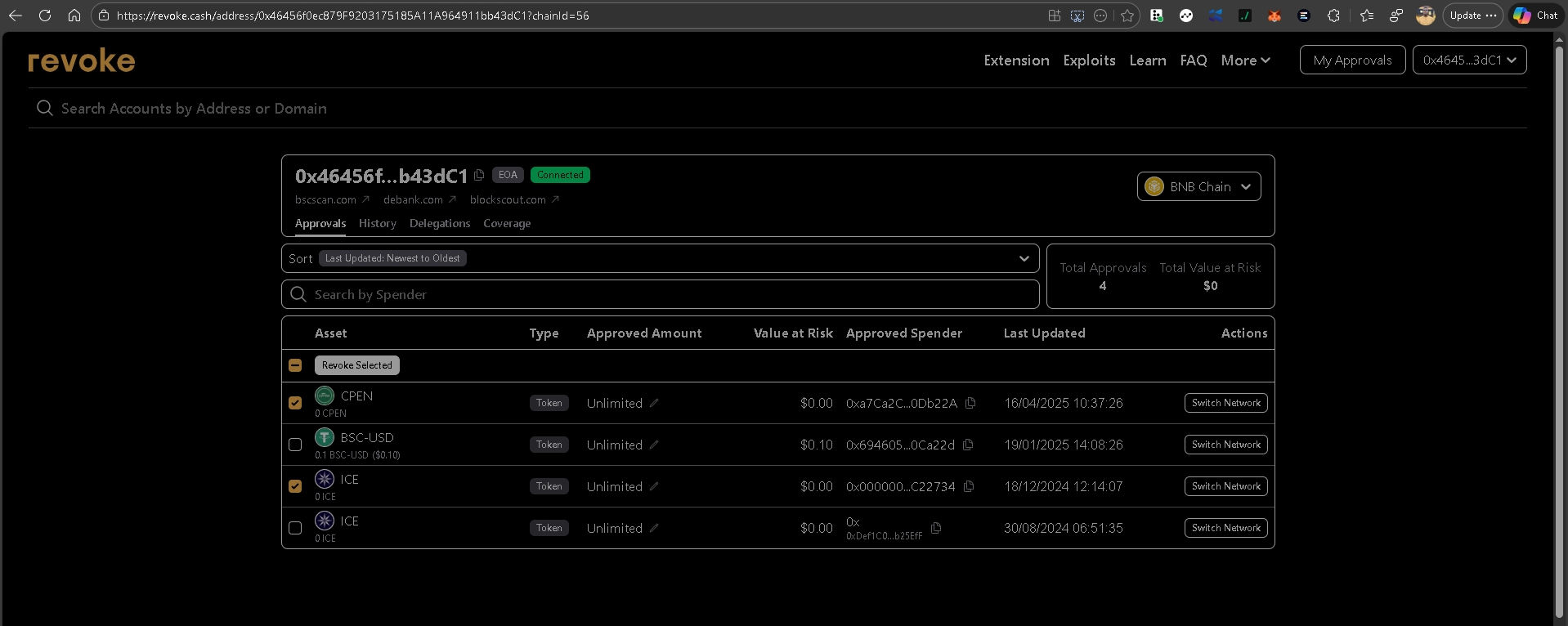
You can also use Etherscan's built-in Token Approval Checker at etherscan.io/tokenapprovalchecker if you prefer.
Revoking on Solana
Solana works differently from EVM chains. Instead of token spending allowances, Solana uses delegates and Associated Token Accounts (ATAs). The most trusted tool is Famous Fox Federation's Revoker at famousfoxes.com/revoke.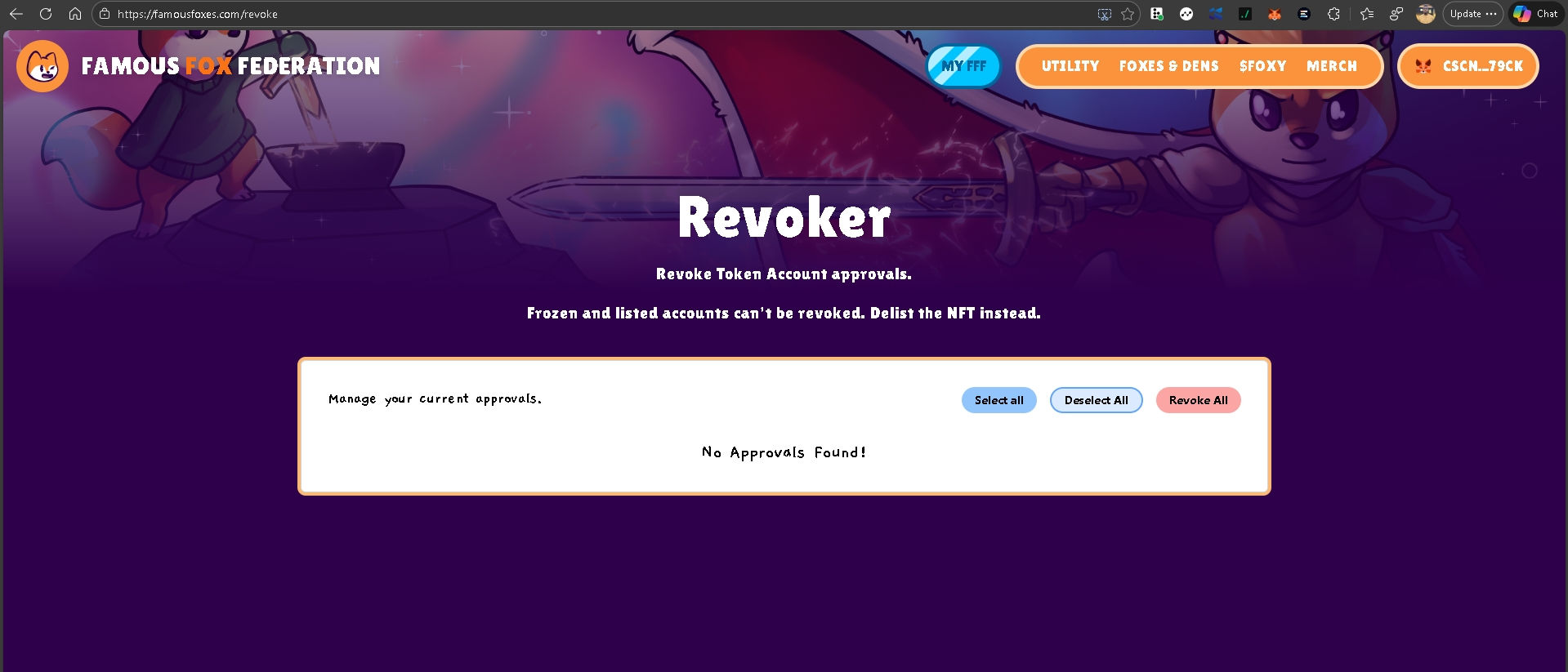
Step 1: Go to famousfoxes.com/revoke Step 2: Connect your Phantom wallet Step 3: Review the listed approvals and delegates Step 4: Click "Revoke All" or select individual ones to revoke Step 5: Confirm in your wallet
You can also manage connected apps directly in Phantom: go to Settings → Connected Apps and remove anything you no longer use.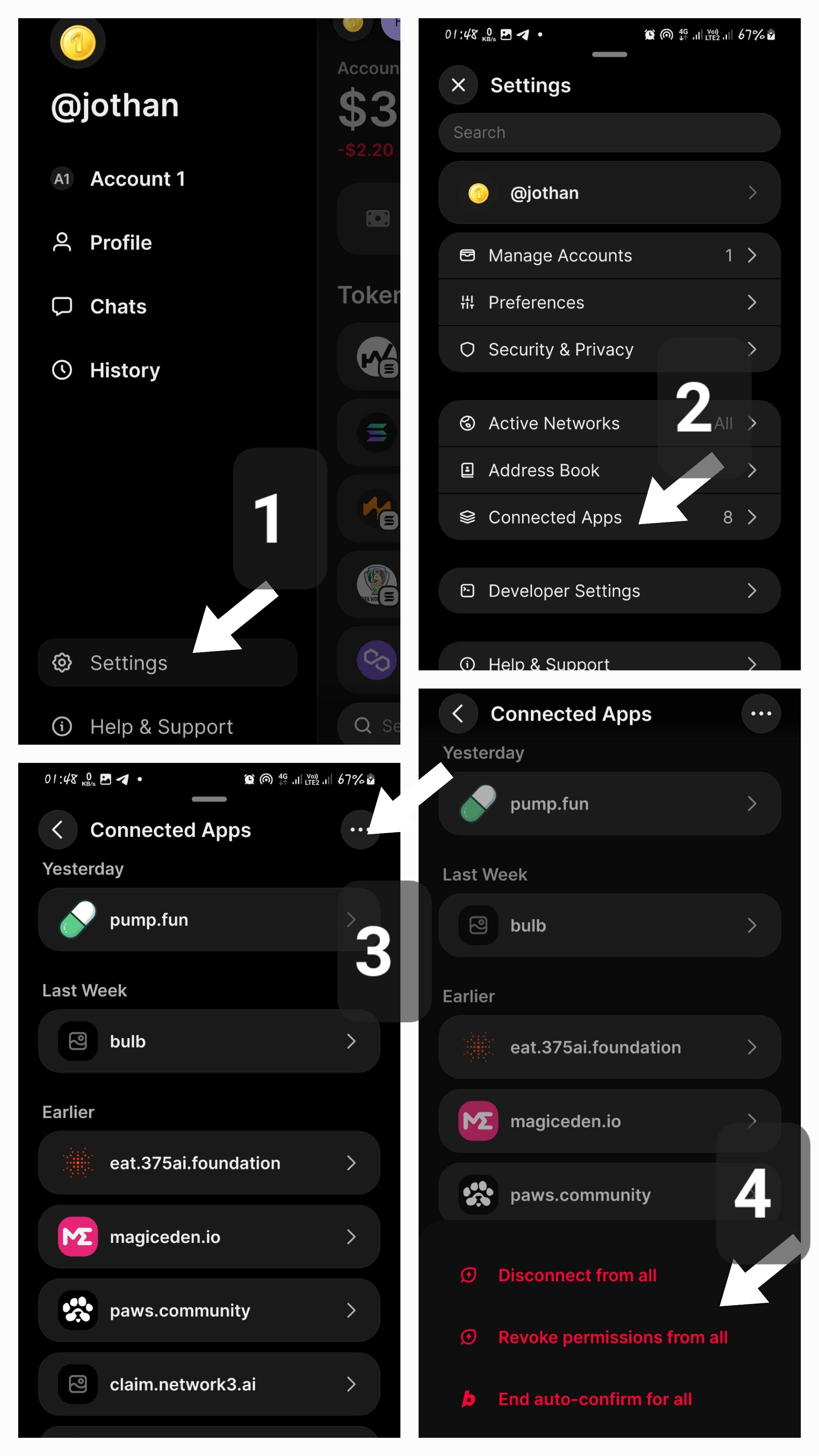
Make this a monthly habit. Set a calendar reminder. It takes under ten minutes and closes off attack vectors you didn't know were open.
Your Seed Phrase — The Rules Are Non-Negotiable
Your seed phrase is the master key to everything in your wallet. Anyone who has it has everything. The rules here are not suggestions.
Write it on paper. Not in a notes app. Not in Google Drive. Not in a screenshot. Not in an email to yourself. Not in a password manager. Paper. Physical paper, stored in a secure location.
Store it in two separate physical locations. One backup is not enough — house fires, floods, and theft are real. Two copies in two places covers most scenarios.
Never type it into any website. No legitimate platform — not Phantom, not MetaMask, not any dApp, not any "wallet recovery" tool — will ever ask for your seed phrase. If something is asking for it, you are looking at a scam. Leave immediately.
Never share it with anyone. Not support staff. Not a developer. Not a community moderator. Not a friend helping you troubleshoot. No one.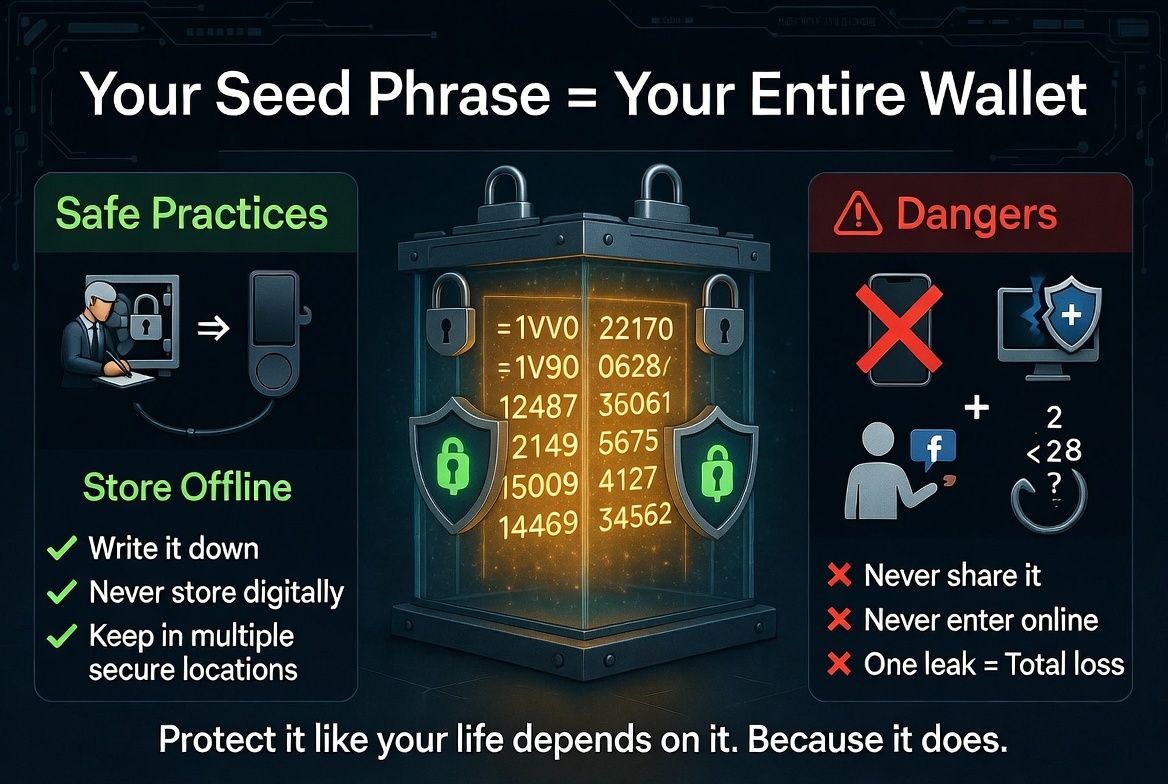
If Your Wallet Is Compromised — Act Immediately
If you think you've signed a malicious transaction or connected to a drainer site, speed is everything. Every second counts.
Step 1: Open revoke.cash (EVM) or famousfoxes.com/revoke (Solana) immediately. Revoke every approval. Do this before anything else.
Step 2: Move all remaining funds to a completely fresh wallet — one that has never been used and whose seed phrase has never touched the internet. Don't move funds to another existing wallet; create a new one.
Step 3: For Solana, also go to Phantom Settings → Connected Apps and disconnect everything.
Step 4: Check your token accounts on Solscan. Look under Token Accounts for any unusual delegates.
Step 5: Consider the compromised wallet permanently burned. Do not continue using it.
The hard truth: if a drainer executes immediately on signing, there may be nothing you can do. The best protection is not getting drained in the first place. But prompt action on revocations can sometimes interrupt time-delayed attacks before they execute.
Conclusion: Verify, Don't Trust
The Web3 ecosystem moves fast. New protocols, new tokens, new opportunities appear every day. The same speed that makes it exciting makes it dangerous for anyone who hasn't internalized the core mindset: verify everything, trust nothing by default.
This doesn't mean paranoia. It means habits. The three-wallet system. The pre-connection checklist. Monthly approval revocations. Never copying addresses from transaction history. Never responding to cold DMs offering help or opportunities.
The numbers are stark — $3.1 billion lost in six months, $250 million of it on Solana alone. But almost none of those losses required a sophisticated technical attack. They required a moment of distraction. A little urgency. A link that looked right. A support message that arrived at the right time.
You now know what those attacks look like. You know how to structure your wallets to limit damage. You know what to check before connecting. You know where the off switch is when things go wrong.
The decentralized web is extraordinary. Going in prepared means you get to stay.
Stay safe out there. If this guide helped you, share it with someone who's just getting started in Web3 — the best thing we can do for this ecosystem is bring people in with the knowledge to protect themselves.
Tags: #Web3Security #CryptoSafety #Solana #WalletSecurity #DeFi #ScamPrevention #Phantom #BurnerWallet #Web3 #CryptoEducation #Blockchain